© Copyright 2017 WyreStorm Technologies | WyreStorm.com
SW-0402-MV-HDxx Installation Guide | 170404-1529
North America: 844.280.WYRE (9973) | UK/EMEA: +44 (0) 1793 230 343
Email: Support@WyreStorm.com
3. Installation
3.1 Shelf Placement
This product should be installed on a solid, flat, level surface such as a table, cabinet or shelf using the four included feet. The
location should be dry, well ventilated, and out of direct sunlight.
It is acceptable to stack multiple products one atop of the other without a ventilation space between the units. However, WyreStorm
recommends that if using more than two of this product, an empty space at least 1 rack unit (1.75 in) in height is used between every
2 chassis. This will assist in heat dissipation and prevent thermal protection from activating due to overheating.
3.2 Rack Placement
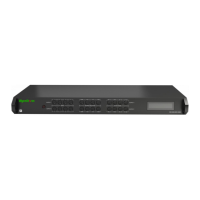
Rack ears (mounting brackets) are included with this product for installation in a standard 19-inch equipment rack. When installing in
a rack, the attached feet located on the bottom of the chassis must be removed.
4. Wiring and Connections
WyreStorm recommends that all wiring for the installation is run and terminated prior to making connections to the switcher. Read
through this section in this entirety before running or terminating the wires to ensure proper operation and to avoid damaging
equipment.
4.1 HDMI/HDBaseT Wiring
IMPORTANT! HDMI/HDBaseT Wiring Guidelines
The use of patch panels, wall plates, cable extenders,
kinks in cables, and electrical or environmental
interference will have an adverse effect on HDMI and
Ethernet transmission limiting performance. Steps
should be taken to minimize or remove these factors
completely during installation for best results.
While similar in nature, the HDBaseT protocol is
different than Ethernet and voltages provided for PoH
can be higher than those provided by PoE. For this
reason, never connect an HDBaseT link to an Ethernet
router or switch to avoid damaging the connected
devices.
WyreStorm recommends using high quality HDMI
cables such as WyreStorm Express to ensure the
highest content performance available.
The type of category cable used and length can restrict
the available video resolution. While Cat5e can be used,
WyreStorm recommends using Cat6 or higher to
ensure the highest content performance available. See
Video Resolutions in the Specifications table before
determining cable type and length.
HDBaseT Wiring (follows the EIA T568B standard)


 To Next Page
 Loading...