© Copyright 2017 WyreStorm Technologies | WyreStorm.com
SW-0402-MV-HDxx Installation Guide | 170404-1529
North America: 844.280.WYRE (9973) | UK/EMEA: +44 (0) 1793 230 343
Email: Support@WyreStorm.com
1. Overview
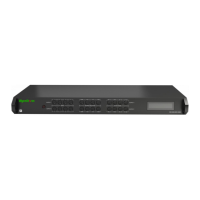
This Installation Guide will guide the installer through the process of installing and configuring a WyreStorm SW-0402-MV-HDMI or
SW-0402-MV-HDBT Multi-View Scaler. Print out this page to use as a checklist for items required to install this WyreStorm device.
WyreStorm recommends reading through this document in its entirety to become familiar with the product’s features prior to
starting the installation process.
1.1 Before Beginning
WyreStorm recommends visiting the product page before installing this product for updates to this Quickstart Guide as well as other
information about this product.
Read through this document in its entirety. ........................................................................................................................................
SW-0402-MV-HDMI or SW-0402-MV-HDBT Multi-View Scaler ........................................................................................................
Required cables and connectors to connect sources and displays. ...............................................................................................
See Wiring and Connections for details on connector types and wiring guidelines.
Sources and displays to be used in the system .................................................................................................................................
IR receiver to extend the IR sensor for control of the Multiview Scaler. .........................................................................................
Ethernet network components and network usernames and passwords (if applicable) ............................................................
Management Suite Configuration Tool downloaded from WyreStorm.com. ................................................................................



 To Next Page
 Loading...