© Copyright 2017 WyreStorm Technologies | WyreStorm.com
SW-0402-MV-HDxx Installation Guide | 170404-1529
North America: 844.280.WYRE (9973) | UK/EMEA: +44 (0) 1793 230 343
Email: Support@WyreStorm.com
2. Product Overview
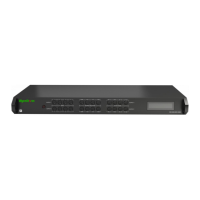
The WyreStorm SW-0402-MV-HDMI is a 4-input to 2-output scaling device that allows both analog and/or digital AV sources to be
connected. Each of the four source input locations have three connection options: HDMI, VGA or YUV. Additionally, each analog input
includes an audio input (stereo mini for VGA and RCA L/R for YUV) for embedding the video with an external audio source.
2.1 Key Features
Both outputs have coaxial S/PDIF connections to allow audio signals from any of the four inputs to be sent to an audio
amplifier.
Advanced image processor controls source opacity and image border.
Scale and arrange images on the screen in real-time using the API or supplied software package.
Advanced EDID functionality allows the unit to store and recall settings previously identified.
The SW-0402-MV-HDMI scales input from any of the sources from 480i to 1080p.
Each input allows for separate embedded audio via a line in stereo mini connection.
The product comes with a built-in Web UI for advanced settings via a tablet or computer.
Audio output with variable delay for AV sync.
Control with LAN, RS-232 and IR functionality.
2.2 In the Box
1x SW-0402-MV-HDMI or SW-0402-MV-HDBT Multi-View Scaler
1x 12V DC 3A Power Supply (US/UK/EU)
1x Handheld IR Remote
1x IR Receiver Extension Cable
2x Mounting Brackets
1x Quickstart Guide
2.3 Front Panel
38kHz IR Receiver.
Receives an IR signal from the included handheld remote or emitter for source selection and other
switcher functions.
Selects the numbered input to assign to an output.
Selects the source for the currently selected input number.
Example: HDMI 1, VGA 2, etc.
Selects the MV mode for the currently selected source.
Selected 2K or 4K output for the currently selected source.
Displays current source selection and source type for each output.



 To Next Page
 Loading...