3.3 GUIDANCE PANEL
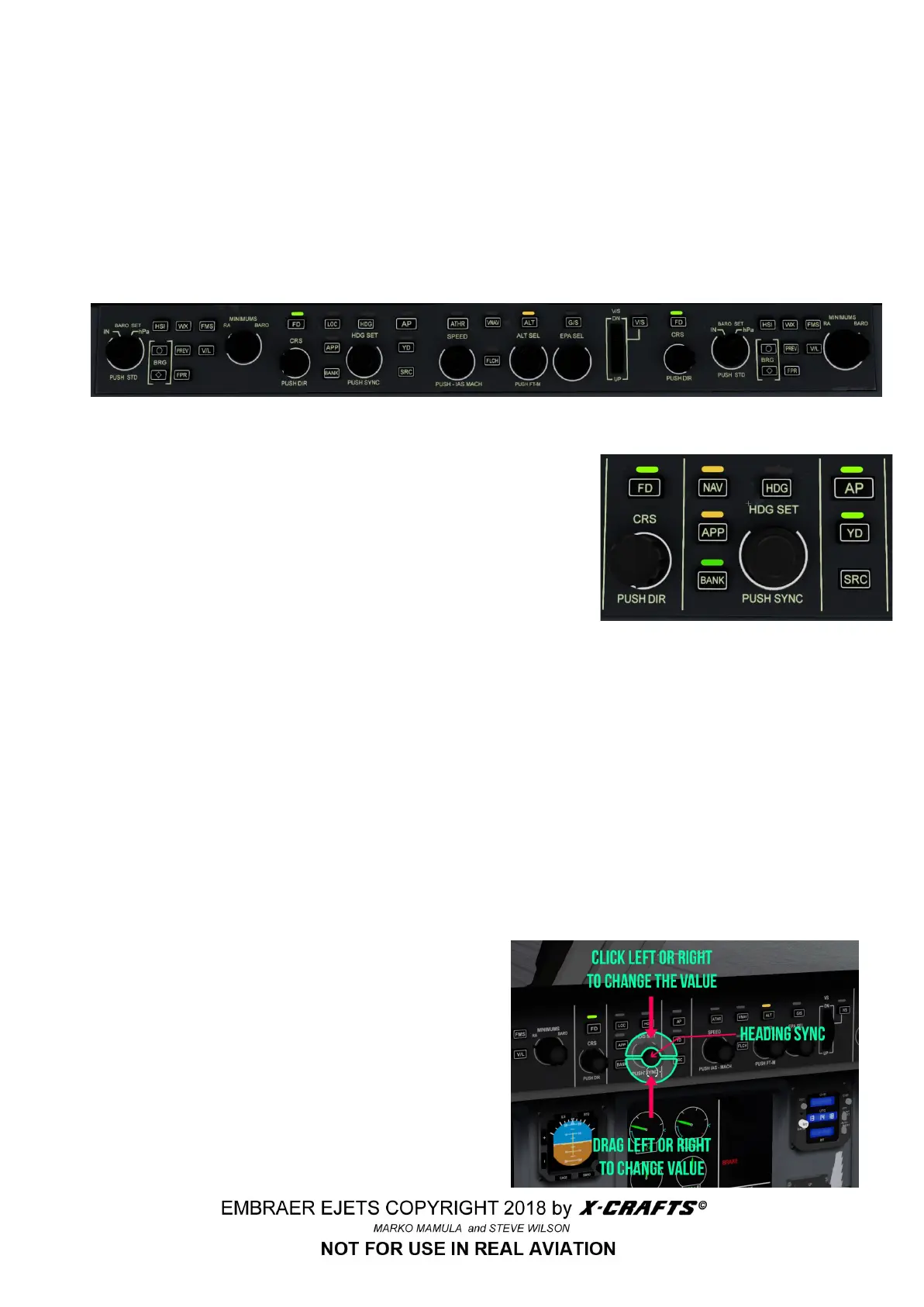
Along the top of the panel glareshield is the flight guidance control panel (FGCP). The many autopilot
modes and functions are engaged using this panel's many buttons and knobs. You must take the time
to fully understand how each control effects the E-jet during each phase of flight.
Be sure to engage any autopilot mode, if you want it to do anything! Basically if there is a yellow light
above the button, it is armed. If there is a green light, it is engaged. You can also see what modes
are engaged on the top part of the PFD (check section 3.6.1)
3.3.1 LATERAL MODE GUIDANCE
● FD - Flight director (This engages the flight director, but NOT
the autopilot!)
● AP - Engage autopilot servos (This engages the autopilot, if it
is not engaged, you are flying manually and the plane will not
follow any selected autopilot mode)
● APP - Autopilot approach mode (This will engage the NAV
and at the same time GS)
● NAV - Autopilot engage VOR/localizer (Engage this if you want the plane to follow the flight plan
loaded from the FMS or fly an ILS)
● BANK - Lock the bank to max 15 degrees
● HDG - Autopilot engage heading
● YD - Yaw damper
● SRC - HSI nav source selector (This switches between pilot/copilot’s FMS source. It does not
have any effect in this release version)
NOTE: for some reason MSTR WARNING will light up when you engage FD, this is an X-Plane bug,
so just turn it off by clicking on it)
3.3.2 HDG KNOB
There are two different clickable areas to set the
heading. This picture demonstrates how the
manipulators work.
The heading can also be altered using the
AUTOPILOT page of the FMS.
13



 To Next Page