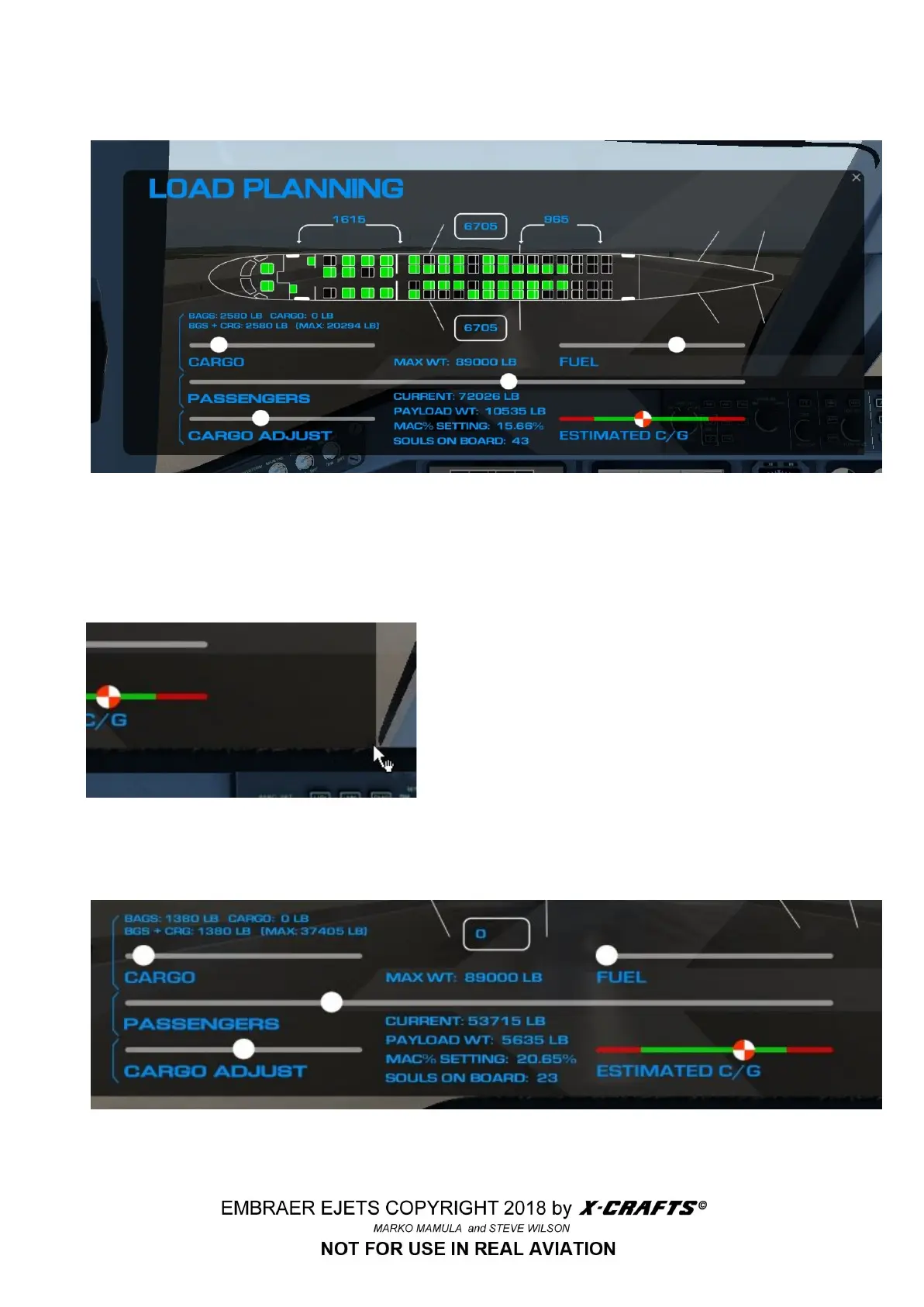
5.4 LOAD PLANNING
The load planner is accessed using the side menu tabs, and selecting WGT & BAL.
With the load planner utility, you can dynamically create a simulated loadout for each of your flights.
While real airline pilots get this information from their dispatchers, here we give you the chance to
create realistic data to enter into the FMS so that your
flights have more flavor and realism.
You can move the Load Manager anywhere on the
monitor screen if you wish. And you can resize it just as
easily by pointing your mouse directly at the lower right
corner until a small hand appears.
There are four sliders with white control dots. You click on these with the mouse, and then move the
mouse left or right as needed to simulate the value desired.
51



 To Next Page