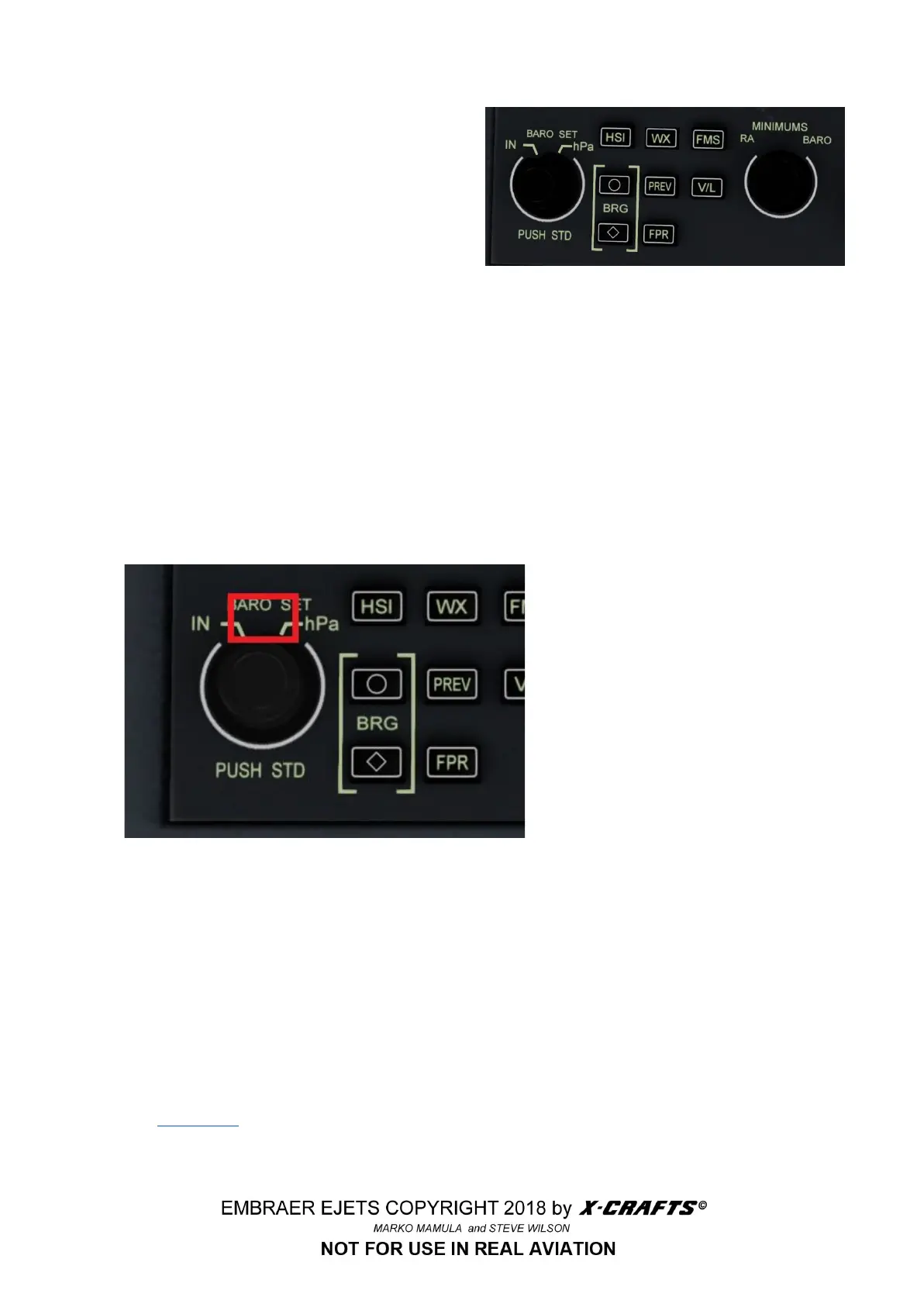
3.3.5 DISPLAY CONTROLLER PANEL
● FMS - Selects FMS as the primary navigation
source for both PFDs
● Radio Altimeter (RA) minimums selector knob
(sets the radio altimeter decision height)
● V/L - VOR/LOC button (Selects the VOR or
NAV for the display)
● BARO SET - Barometric correction selector knob, sets barometric correction factor
● BRG bearing sources button: Selects VOR, NAV sources
○ CIRCLE (O): indicates VOR1, NAV1
○ DIAMOND (◊): indicates VOR2, NAV2
3.3.6 BAROMETER READOUT SWITCH
By clicking on the hidden click-spot above the BARO knob, you can switch between In/hPa.
3.3.7 ENGAGING THE AUTOPILOT
● Choose a source at the Display controller Panel (BRG O/ BRG ◊/FMS)
● Engage the FD and also AP. If the light turns green, the autopilot servos are on.
● Once AP is on and the flight plan is loaded, press NAV to engage the Localizer to follow the flight
plan loaded in the FMS. For ILS press APP. This will automatically engage NAV and GS
(Glideslope).
IMPORTANT! Before selecting FLCH, you first have to set the speed and hit ATHR, otherwise the
plane will start porpoising once it reaches the desired altitude!
Please visit this website (http://xplane.wikia.com/wiki/Autopilot) for a detailed explanation of all autopilot
modes and functions in X-Plane.
15



 To Next Page