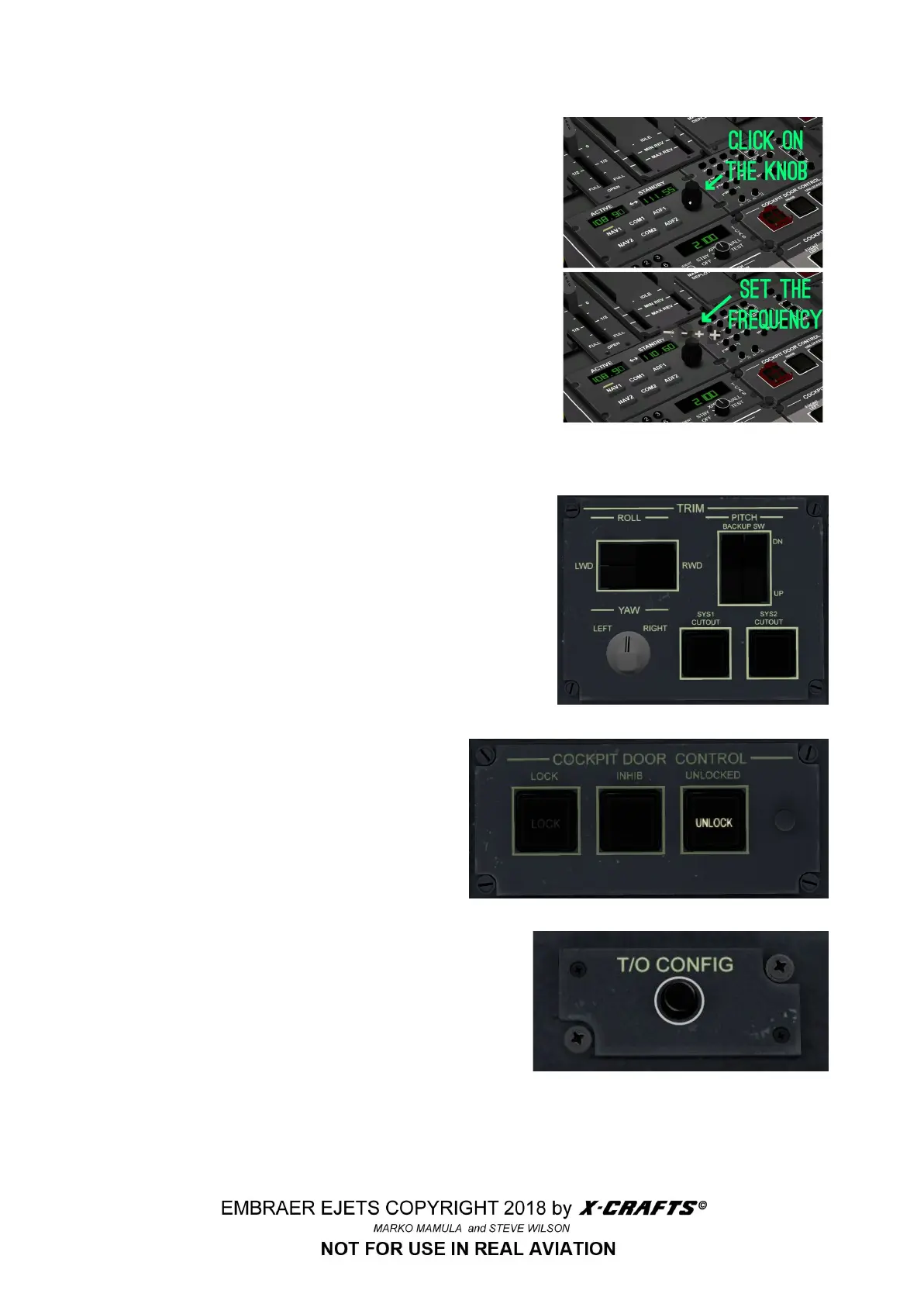
3.5.5 NAV/COM/ADF RECEIVER
There are many ways how you can set the radio
frequencies. You can use radio panels on the pedestal or
on the pop-up radio panel. The best way, though would
be to use the MCDU RADIO page. This page is always
shown when the FMS is first powered up with the battery
switches.
3.5.6 TRIM PANEL
Use this panel to manually adjust trim.
3.5.7 COCKPIT DOOR CONTROL
Use this panel to lock the cockpit door.
3.5.8 T/O BUTTON
After clicking on this button, you will be notified if
everything is set for the Take off. If there are any items
not set properly, you will hear an audible alert specific
to the problem (check of brakes, flaps, trim and
speedbrakes)
NOTE: This function only works after you have entered
one of the PERF pages on the FMS at least once!
25



 To Next Page