3.3.3 ALT KNOB
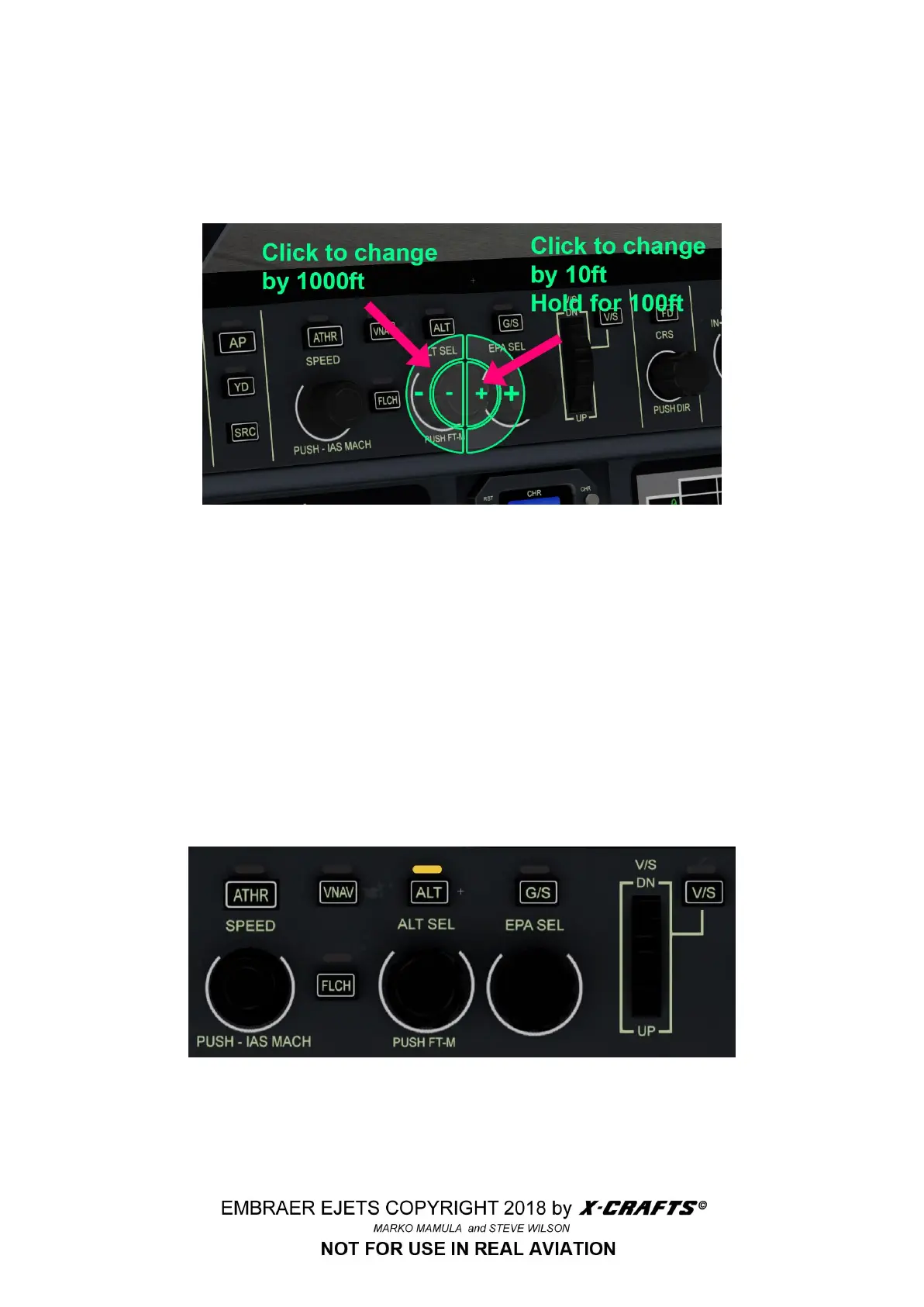
The ALT knob has 2 options, the inner circle changes the value by 10ft on click and by 100ft on hold.
The outer circle changes the value by 1000ft/click. I find this super useful because you can go from 0
to FL300 in no time. The altitude setting can also be adjusted using the FMS AUTOPILOT page.
3.3.4 VERTICAL MODE GUIDANCE
● ATHR - Autopilot engage auto-throttle (Push Speed knob to select between knots/mach)
● VNAV - Autopilot engage FMS VNAV
● FLCH - Flight level change
VERY IMPORTANT : be sure to engage ATHR before hitting FLCH! If you don’t it will result in
wild porpoising after the plane reaches the desired altitude !
● G/S - Glide slope
● V/S - Vertical speed
● ALT - Altitude select (If you click on the ALT button twice, it will turn green and it will hold the
current altitude)
14



 To Next Page