3.6.2.9 OPTIONAL TERRAIN MAP
It is possible to add terrain mapping to the MFD via a third party
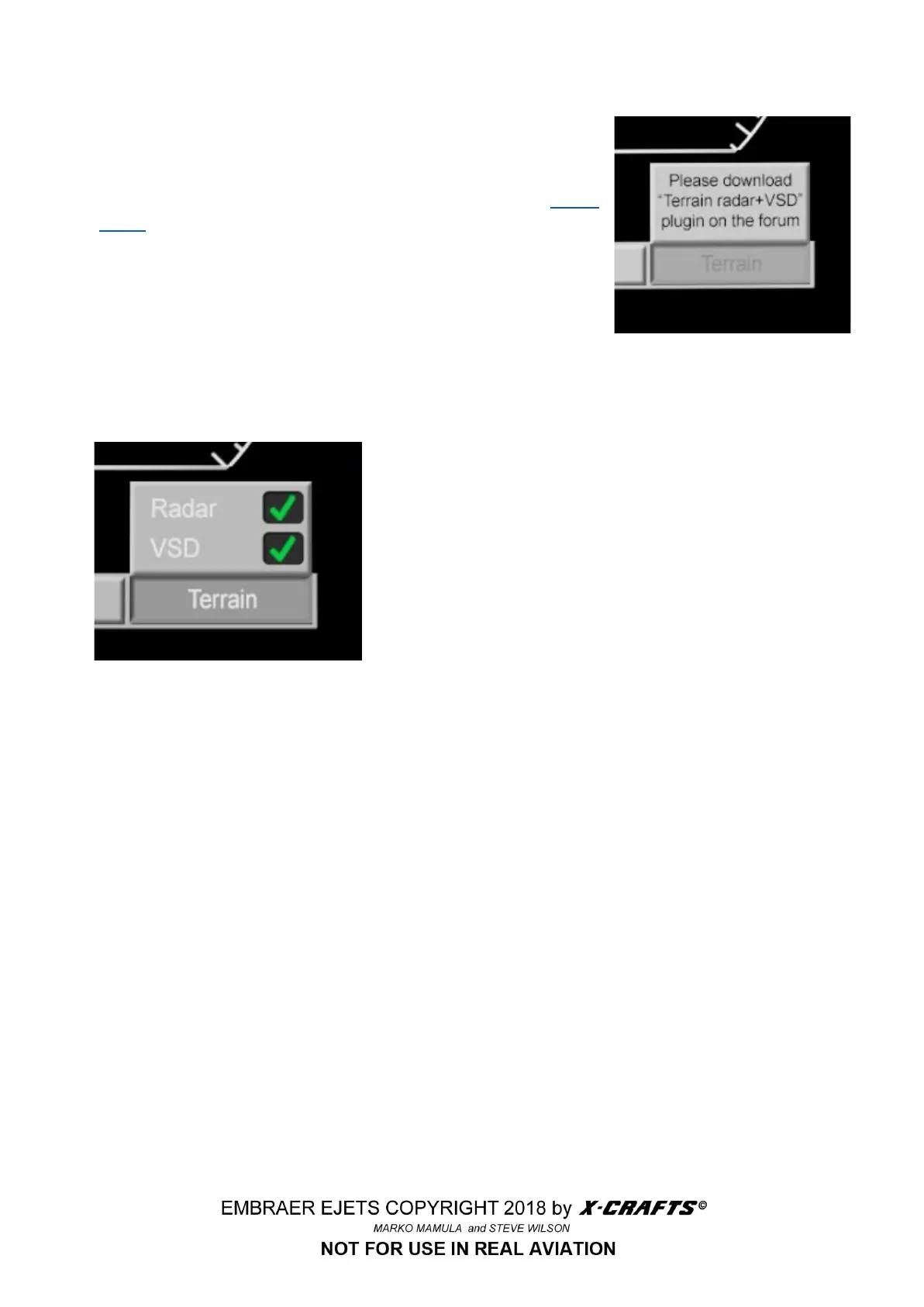
plugin. If you click on the TERRAIN button of the MFD without the
plugin installed, you will see this notification. The “forum” is
X-Plane.org, and the specific plugin can be found here: Terrain
Radar. Technical support for this plugin is provided via the link.
We only make this function available through the EJets for your
convenience and enjoyment. It is not an X-Crafts product, and the
magic behind it’s marvels are not something we’re familiar with.
Use at your own risk, etc..
https://forums.x-plane.org/index.php?/files/file/37864-terrain-radar-vertical-situation-display/
Disclaimers aside, it’s pretty interesting and useful when in use.
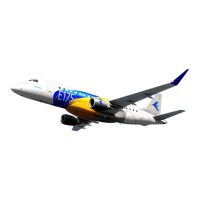
When the plugin is properly installed in the
X-Plane\Aircraft\Embraer E175 v2.x XP11\plugins or Embraer
E195 v2.x XP11\plugins folder, depending on the aircraft,
instead of the friendly notification, you’ll see the control
selections on the left.
When the terrain plugin is starting up, you’ll see a test pattern
and version number. This disappears after a few seconds. An
example display can be seen on the next page.
When using the terrain radar, you’ll probably want to manage, or “declutter” your map display by using
the OPTIONS button. In the example, I’ve removed - deselected - the WPT ident displays - navigation
fixes.
The terrain is shown using a green to red color scale, with red being the highest and black or green
being fairly low terrain. Mind your altitude flying over the red, and pay close attention to your charts and
radio altitude indicator.
When selected, the Vertical Situation Display, or “VSD,” gives a side-on view to your flight and a
depiction of upcoming terrain in green. There is also a white lline that extends forward from the aircraft
to indicate the predicted flight path.
38



 To Next Page