21. ALARM DISPLAY 2/2
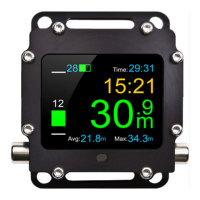
Black BT allows setting the following alarms:
Dive time Alarm is activated once a particular dive time is
exceeded.
Maximum depth Alarm is activated once the maximum depth is
exceeded.
Average dept Alarm is activated once the average depth is
exceeded.
Battery Alarm is activated once battery charge indicator
drops to a certain level.
Alarm clock Alarm is activated at a particular hour.
The alarm can be turned off using ‘Turn off alarm’ function available in the main
menu. The fact that the alarm occurred is saved and indicated in the logbook.


 To Next Page