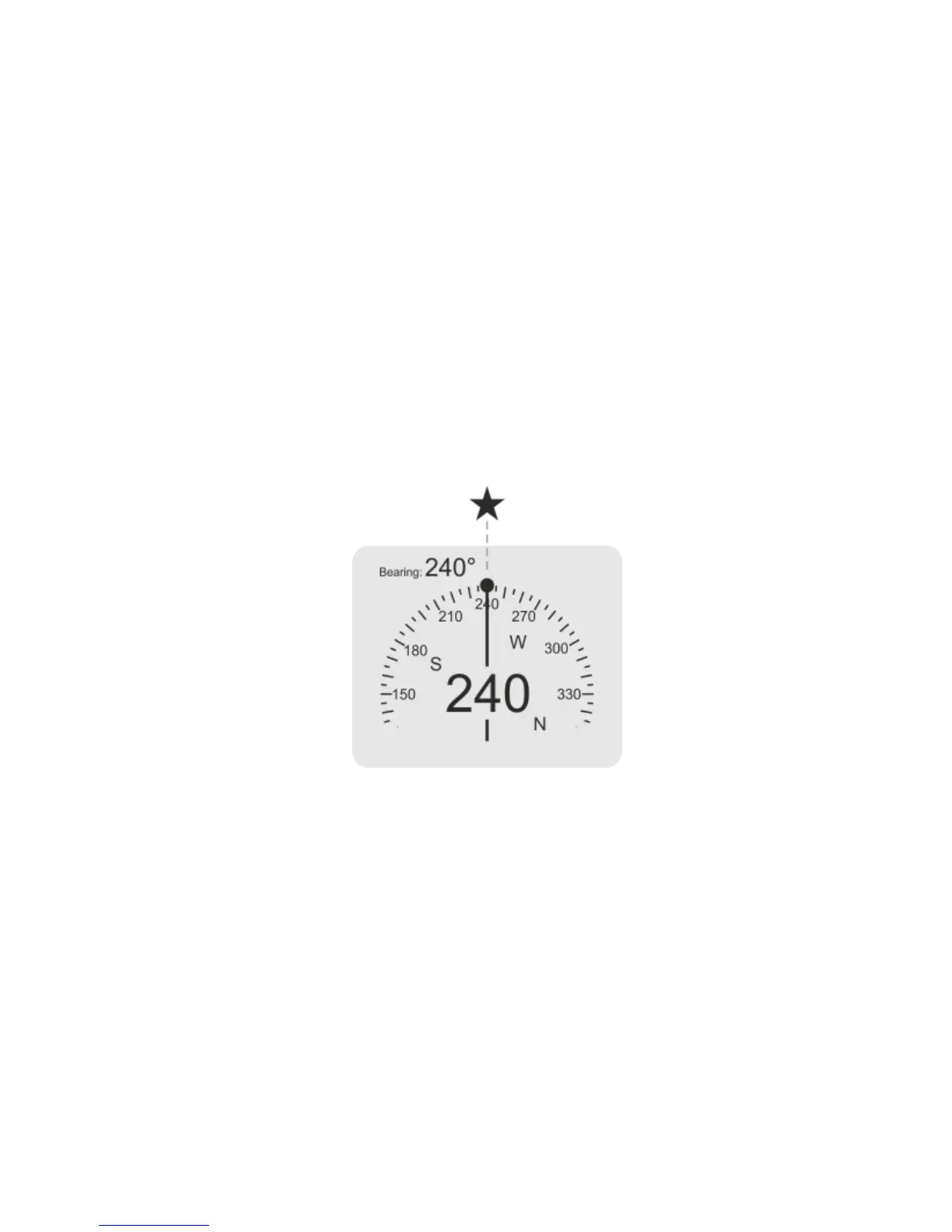
22. COMPASS – SETTING THE BEARING ON THE SURFACE
You may set the bearing before the dive when necessary. In order to set the bearing
on the surface, select function „Set bearing” from the main menu, and then direct
the bearing line to the object which you want to reach or direct the device on the
required course reading its value displayed on the screen. Then save the bearing
holding the right button. The bearing saved will be visible on the compass scale as a
round point and as a numerical value in the right upper corner of the screen.
After setting the bearing it is necessary to check if it matches the course which you
want to follow. If there is a need to correct, the procedure canbe repeated and
again the device should be directed to the required course pressing the right button.
After setting the required bearing it is necessary to leave the main menu by holding
the left button.


 To Next Page