36. SETTINGS - DISPLAY 2/2
Settings -> Display -> Auto DIM
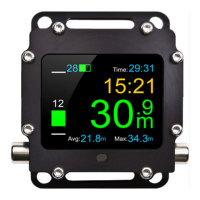
This function allows turning on the screensaver in underwater mode after a
particular time. Screen blanking does not turn off the device, but switches into
selected blanking scheme (darkening, screen turn off, change of colour into green,
red or blue). In order to restore normal display, the user should press any button.
Settings -> Views Functions allowing turning on/off particular views
(main screen, compass), change of sequence and the
type of main screen display (full, simple,
minimum).
will automatically switch into normal display so that the user does
not miss the alarm. The screen blanking function will remain turned
off until the user turns off the alarm by selecting function ‘Mute


 To Next Page