11
www.xerox.com/office/B205support
Scanning
Numérisation
2
3
1
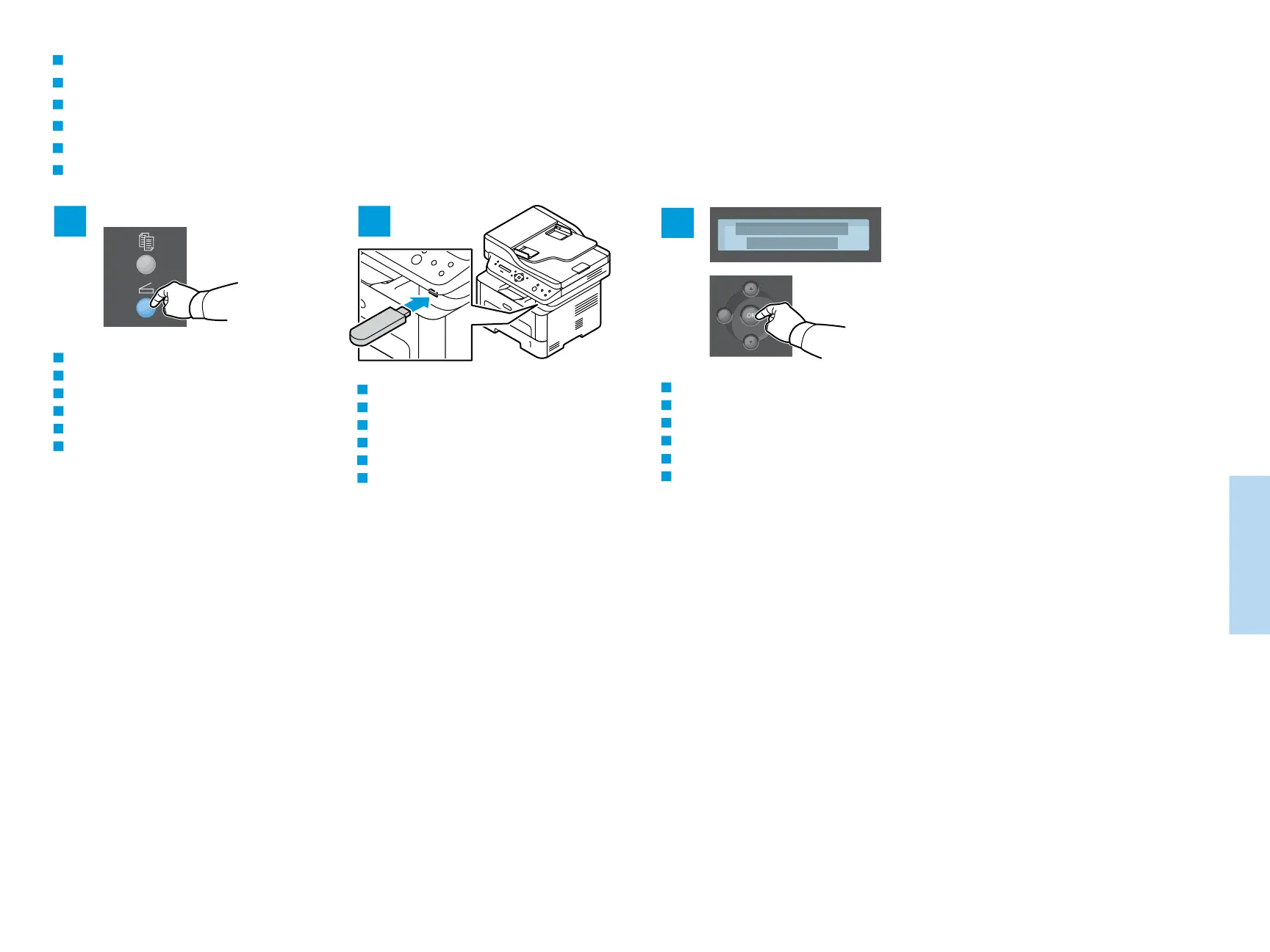
Scanning to a USB Flash Drive
Numérisation vers une clé USB
Scansione su un'unità flash USB
Scanausgabe: USB
Escaneado a una unidad flash USB
Digitalização para uma unidade flash USB
FR
IT
DE
ES
PT
EN
To start scanning, press OK.
Pour démarrer la numérisation, appuyez sur OK.
Per avviare la scansione, premere OK.
Zum Starten des Scanvorgangs OK drücken.
Para comenzar a escanear, pulse OK.
Para iniciar a digitalização, pressione OK.
FR
IT
DE
ES
PT
EN
Insert the USB Flash Drive.
Insérez le lecteur USB.
Inserire l'unità flash USB.
USB-Flashlaufwerk an das Gerät anschließen.
Inserte la unidad Flash USB.
Insira a unidade flash USB.
FR
IT
DE
ES
PT
EN
Press the Scan button.
Appuyez sur le bouton Numériser.
Premere il pulsante Scansione.
Taste Scannen drücken.
Pulse el botón Escanear.
Pressione o botão Digitalizar.
FR
IT
DE
ES
PT
EN

 To Next Page
 Loading...