Maintenance
Xerox
®
WorkCentre
®
7220/7220i/7225/7225i Color Multifunction Printer 197
User Guide
Routine Maintenance
This section includes:
• Replacing the Toner Cartridges ................................................................................................................................ 197
• Replacing the Waste Toner Container ................................................................................................................... 199
• Replacing the Drum Cartridges................................................................................................................................. 201
• Replacing the Transfer Belt Cleaner ....................................................................................................................... 204
• Replacing the Second Bias Transfer Roller ........................................................................................................... 206
• Resetting Supply Life Counters ................................................................................................................................. 209
• Replacing Staple Cartridges ....................................................................................................................................... 209
• Emptying the Hole Punch Waste Container ........................................................................................................ 214
For information on ordering supplies, see Ordering Supplies on page 217.
Replacing the Toner Cartridges
A message appears on the control panel when a toner cartridge must be replaced.
CAUTION: Do not perform this procedure when the printer is copying or printing.
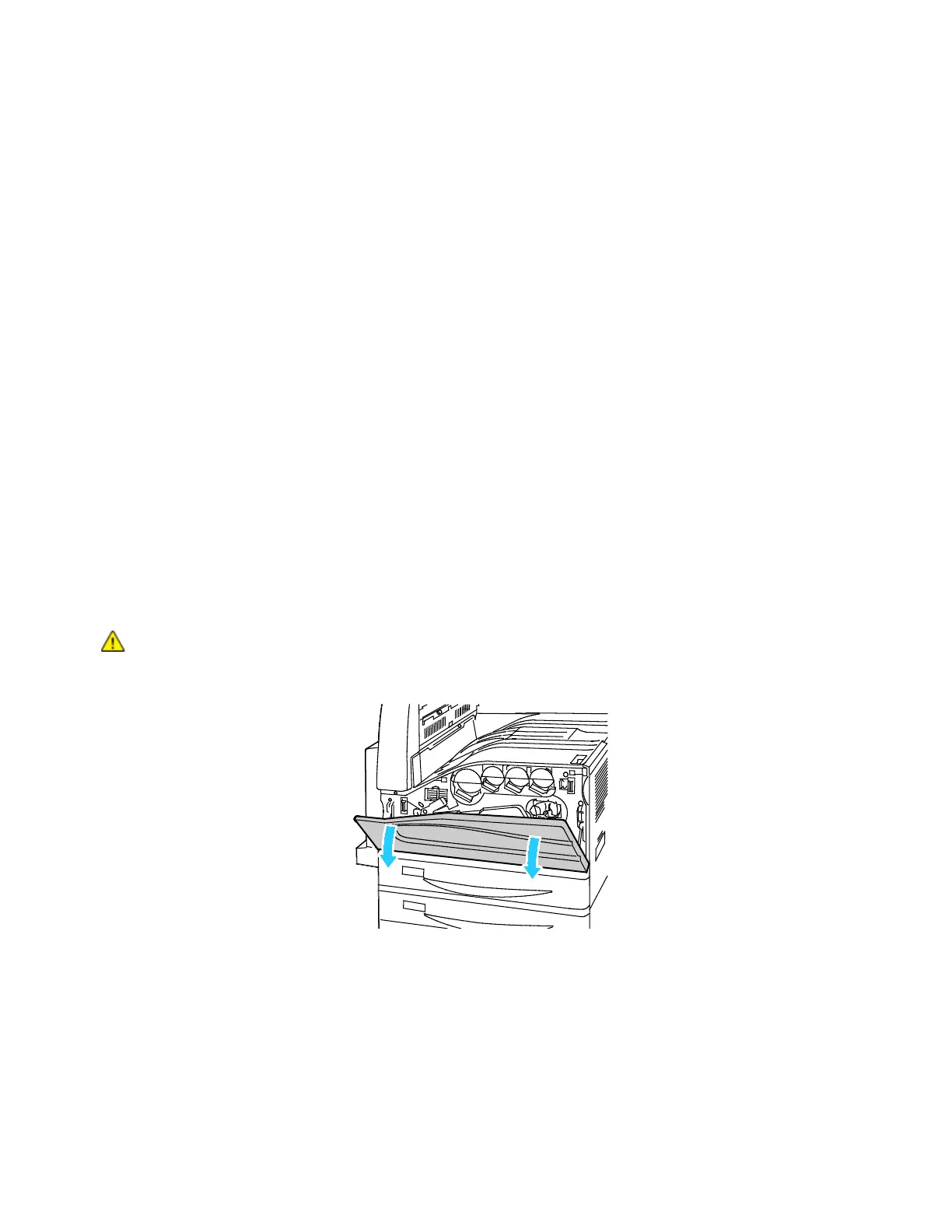
1. Open the front cover of the printer.





 To Next Page