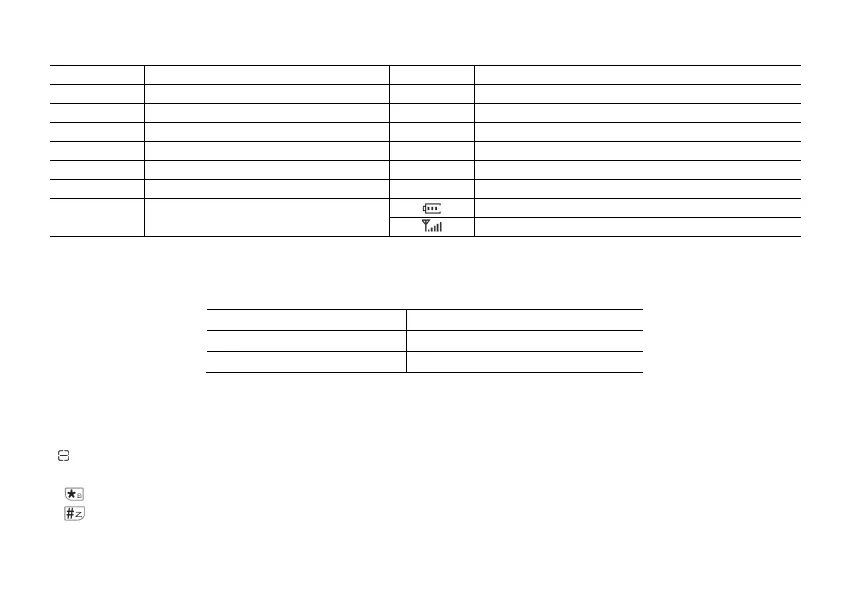
4.2 LCD Display
Icon Description Icon Description
Mxxx Memory channel DW Dual watch enabled
VFO Frequency Mode TX Transmitting
VOX VOX enabled RX Receiving
CTC CTCSS enabled R Reverse function enabled
DCS DCS enabled Indicates active band or channel
N Narrowband enabled +/- Frequency shift direction if enabled in VFO
H/L
Transmit power level indicator
According to Power (High/Low)
Battery level indicator
Squelch Open/ Close Indicator
4.3 Status Indications
The status LED has a very simple and traditional design. When you receive a signal it turns green, when you transmit it turns
red, and it's off in standby.
LED Indicator Radio Status
Constant Red Transmitting.
Constant Green Receiving.
4.4 Main keypad controls
• V/M: Short press to switch frequency or channel mode. Press and hold to toggle channel display mode: CH/FREQ/NAME.
• A/B: Short press to toggle upper screen (A)/lower screen (B). Press and hold to switch Double Wait/ Signal Wait/ Dual Watch off modes.
•
One-Touch search key: Short press to enter One-Touch search key.
• EXIT: Short press to return to menu or return to previous menu. (Press and hold to enter frequency sweep mode).
•
: Long press to lock or unlock the keypad.
•
: Short press to enter DTMF dial. Press and hold to scan on and scan off.
• 0[space] : Press and hold to enter weather switch to select weather channel.



 To Next Page