Unlock the screen
1. Press the Power button to wake up the phone.
2. Swipe up from the bottom of the screen.
Note
If you want to set a pattern, PIN, or password, you can see Set up Screen lock for more
information.
Home screen
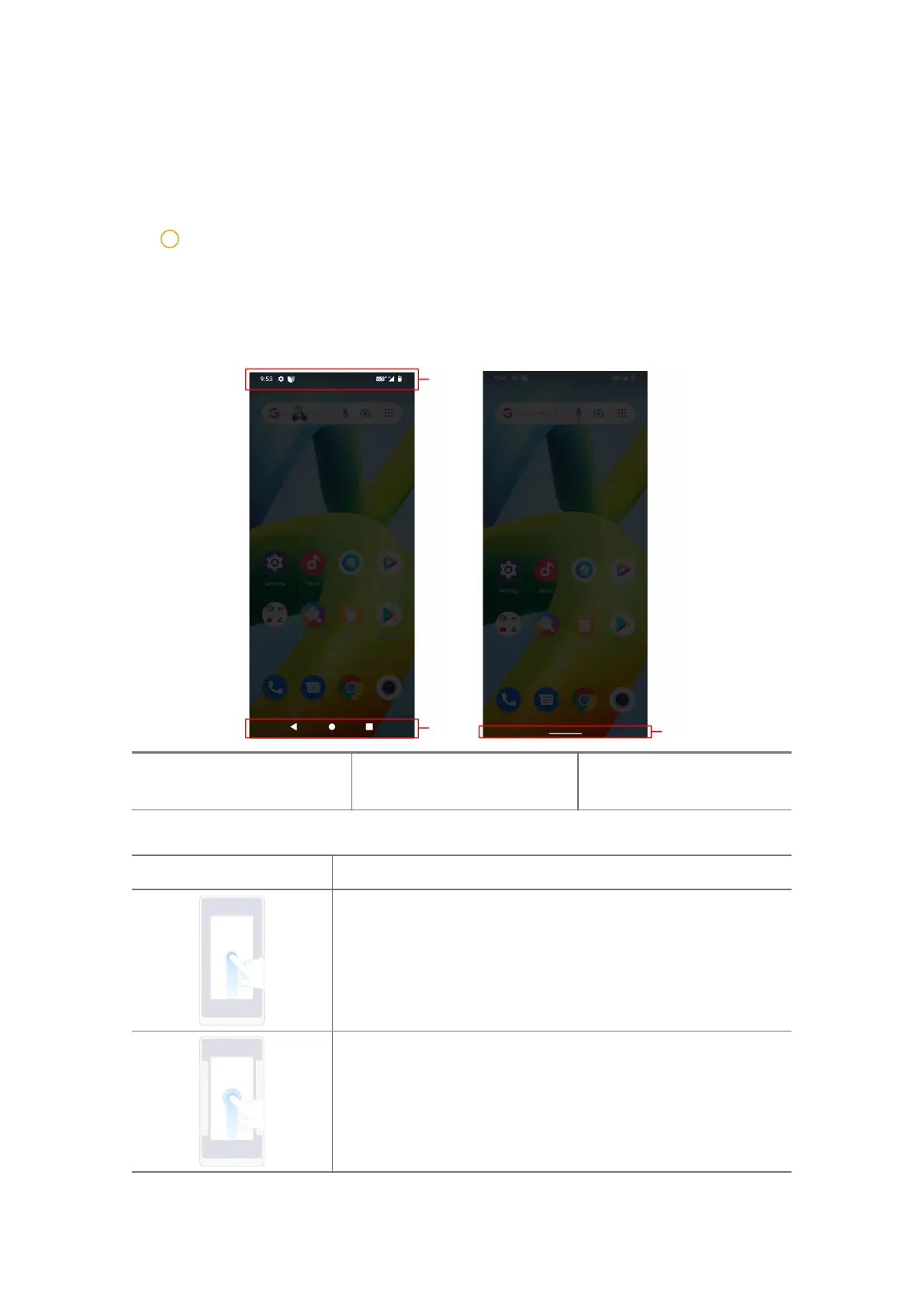
1. Status bar 2. 3-button navigation
3. Gesture navigation indi-
cator
Full screen gestures
Gesture Description
Go to Home screen
Swipe up from the bottom of the screen.
Open Recents
Swipe up from the bottom of the screen and pause.
06













 To Next Page