43
Phone
Xperia 5 IV
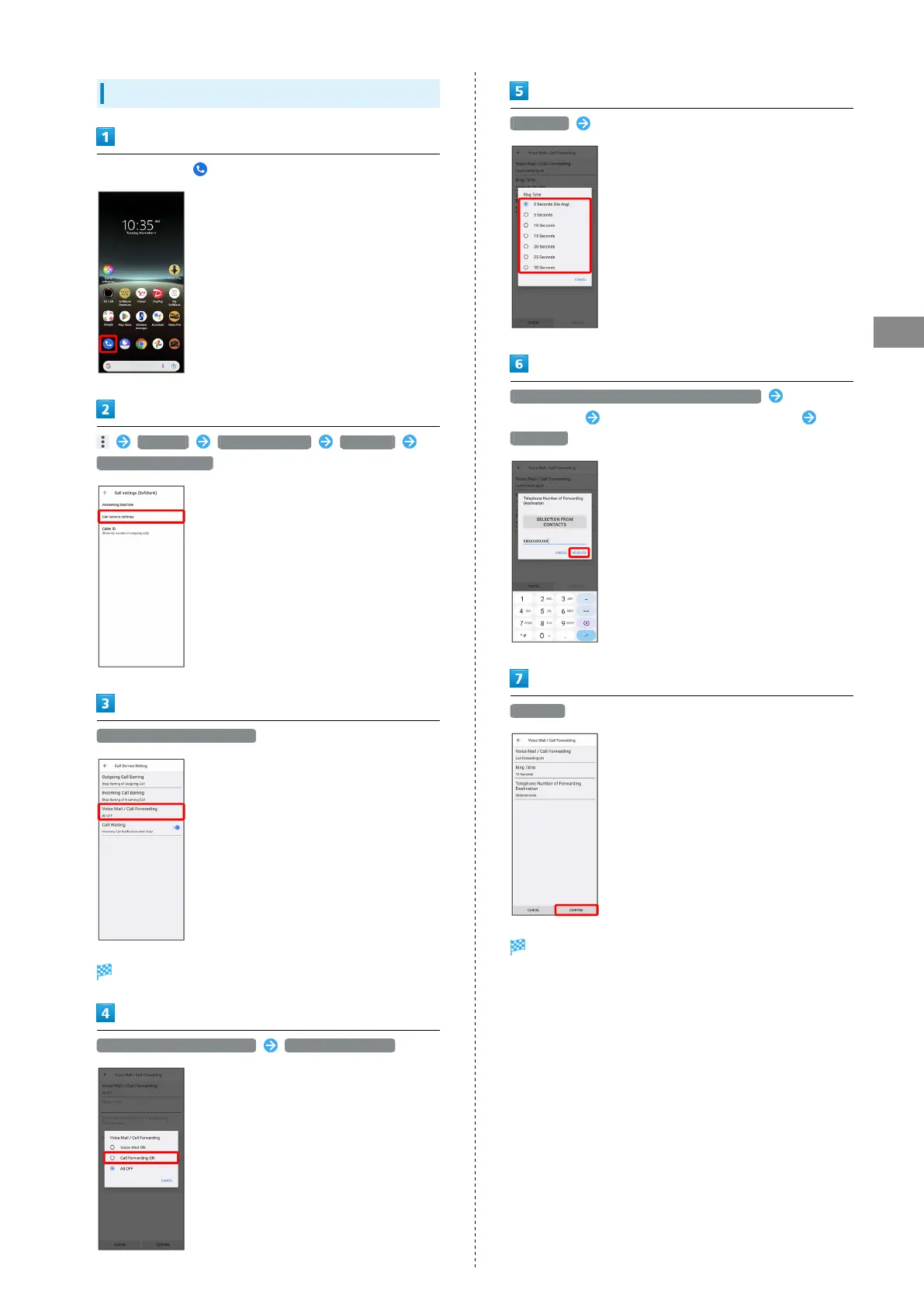
Using Call Forwarding
In Home Screen, (Phone)
Settings Calling accounts SoftBank
Call service settings
Voice Mail / Call Forwarding
Voice Mail / Call Forwarding settings open.
Voice Mail / Call Forwarding Call Forwarding ON
Ring Time Select ring time
Telephone Number of Forwarding Destination Tap phone
number field Enter phone number to forward to
REGISTER
CONFIRM
Call Forwarding is activated.



 To Next Page