44
Using Voicemail
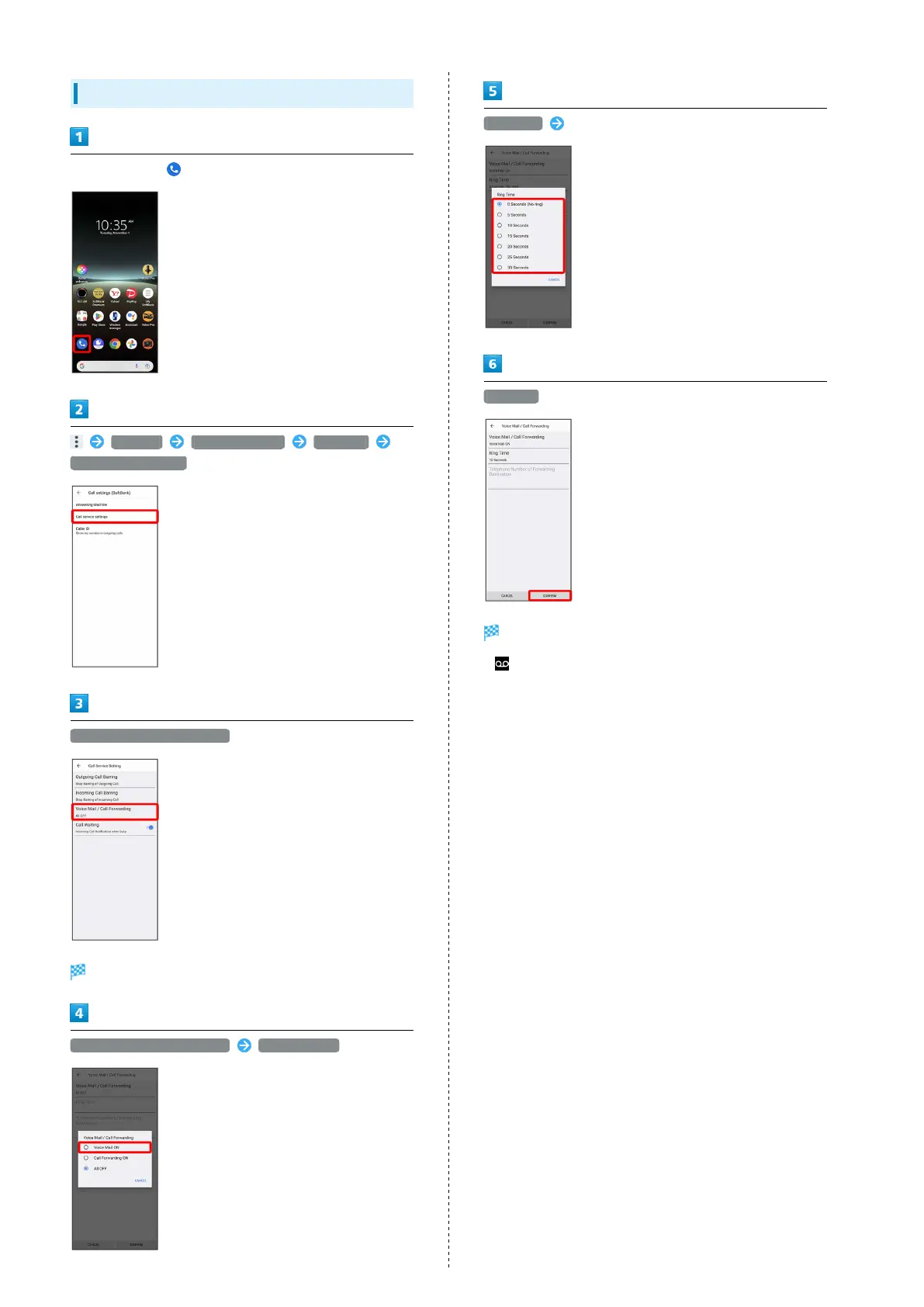
In Home Screen, (Phone)
Settings Calling accounts SoftBank
Call service settings
Voice Mail / Call Forwarding
Voice Mail / Call Forwarding settings open.
Voice Mail / Call Forwarding Voice Mail ON
Ring Time Select ring time
CONFIRM
Voicemail is activated.
・
appears in Status Bar for new message. Flick Status Bar
down and Tap Voicemail notification, then follow the voice
prompts.



 To Next Page