45
Phone
Xperia 5 IV
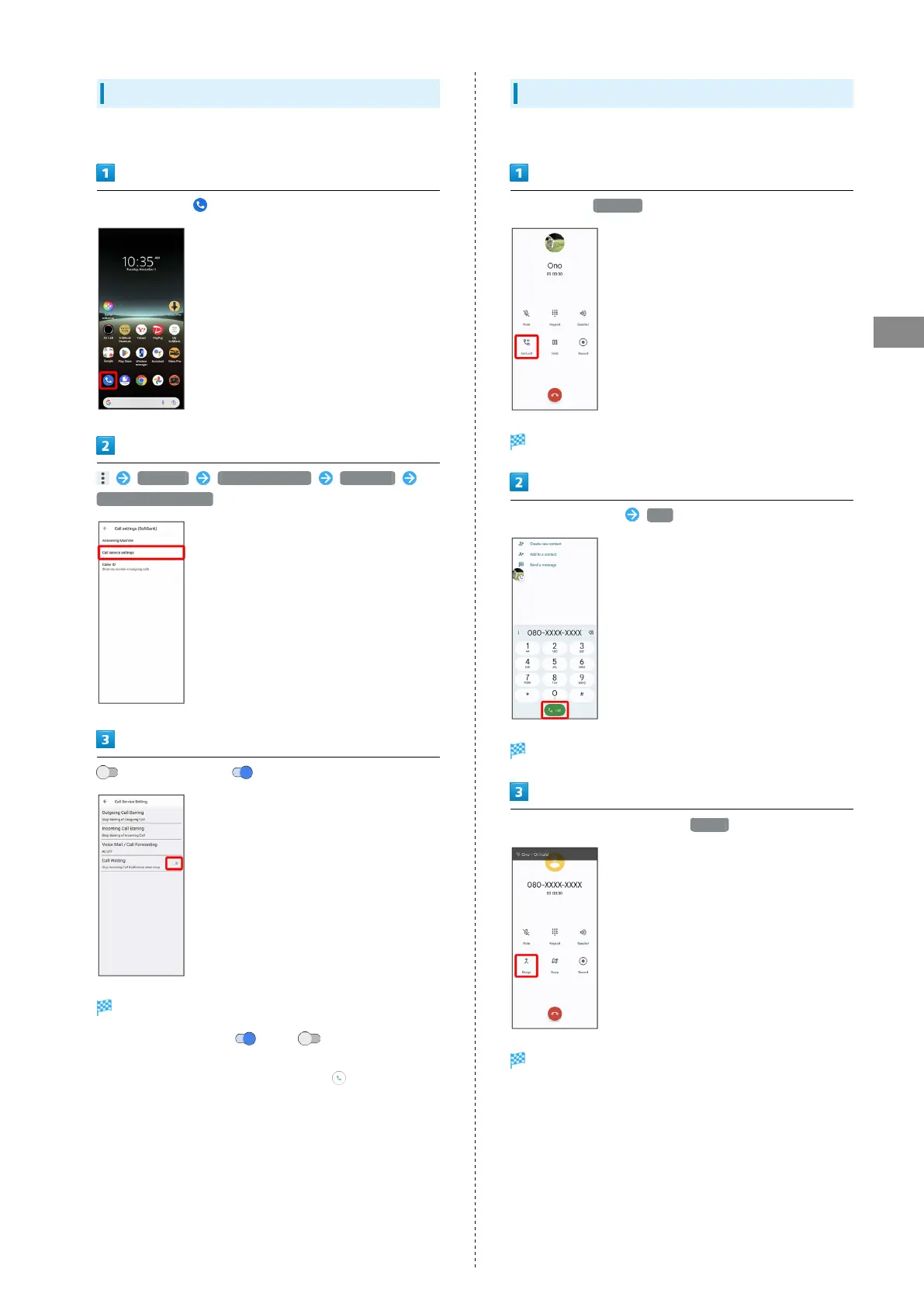
Using Call Waiting
This service requires subscription.
In Home Screen, (Phone)
Settings Calling accounts SoftBank
Call service settings
for Call Waiting ( )
Call Waiting is set.
・
Tap icon to toggle on ( )/off ( ).
・If Call Waiting is set and a second call arrives during a call,
Call Waiting tone is heard. Swipe (Flick) up to begin
call.
Using Group Calling
This service requires subscription.
During a call, Add call
Dialing screen opens.
Enter phone number Call
Call is added.
When the other party answers, Merge
Group Calling starts.



 To Next Page