Magnetic Calibration Manual
Xsens MTi User Manual Repository
Magnetic Calibration Manual
Copyright © 2021 Xsens Page 34
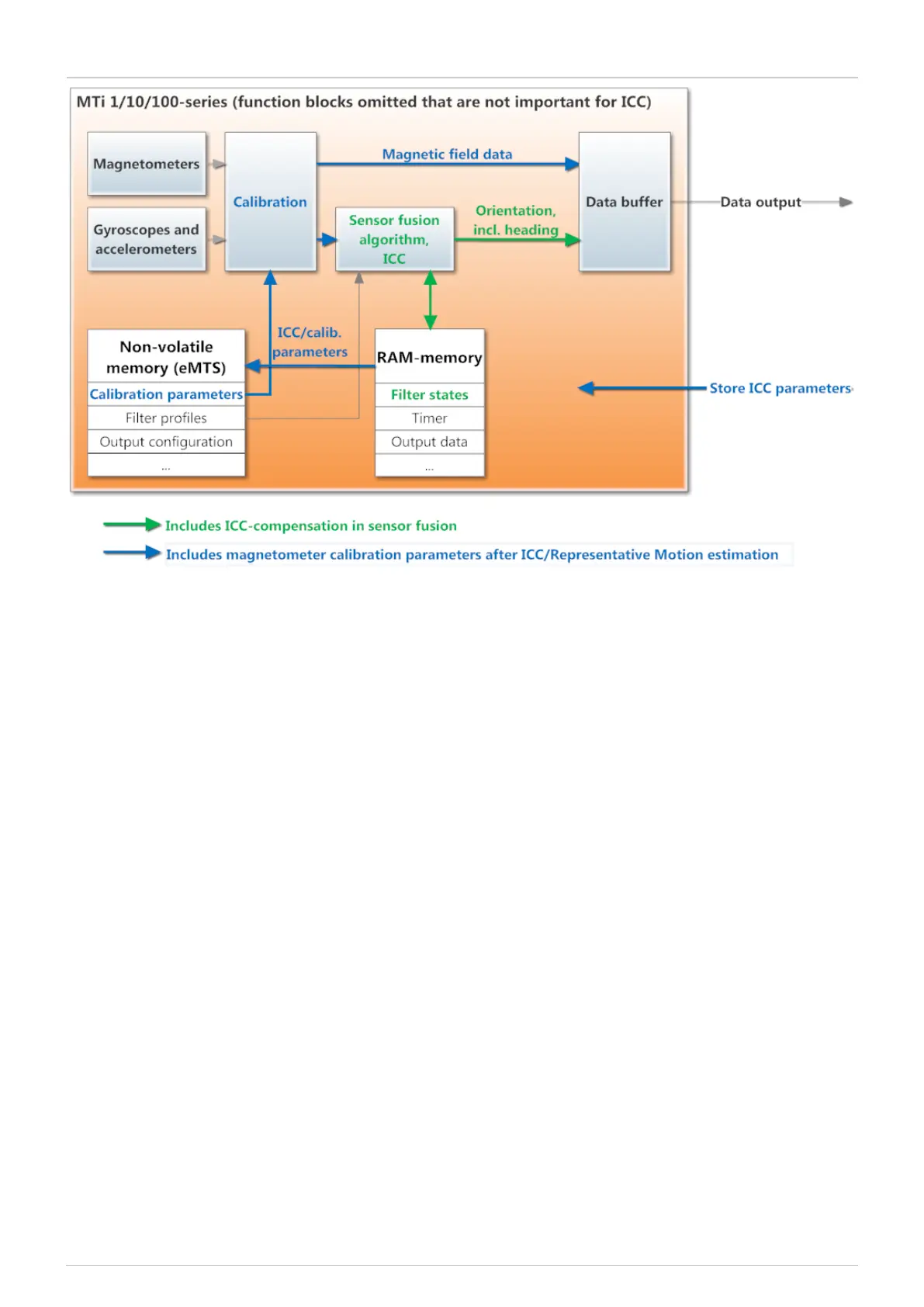
Once the command is given by the user to store the ICC calibration parameters, the MTi will
write the parameters to the eMTS on the non-volatile memory. This way, the magnetometer
sensor readings are calibrated with the ICC parameters before they are fed into the sensor
fusion algorithm. Also, the magnetic field data will be outputted using the new calibration
parameters.
ICC and RepMo are designed to be used embedded. However, it is possible to apply
ICC and RepMo when processing log files offline. The ICC can be enabled in the MTi interface
when opening an ".mtb'' file. The user can start RepMo off-line only if the trial has been
recorded with the "onboard processing'' preset in Output configuration (i.e. orientation
output is enabled in the output configuration. However, it is possible to tick the extra inertial
data and magnetic field output).
Conclusion
The ICC/RepMo features are a useful alternative for calibrating for hard and soft iron effects
when using the Magnetic Field Mapper (MFM) tool is not possible. When using ICC/RepMo, the
newly obtained calibration measurements are immediately used in the sensor fusion
algorithm. Once the calibration data are stored in non-volatile memory as well, the factory
magnetometer calibration parameters will be overwritten, and magnetometer readings will
be processed by the new calibration parameters. After storing calibration parameters, ICC


 To Next Page