SENSOR PROGRAMMING
You can program Xtool sensors by this menu. Programmed sensors can be installed into the tires, replacing the OEM
sensor.
There are 4 ways to program the sensors, and the method will be listed as follows.
AUTO-CREATE ID
This function allows you to program up to 8 sensors at once with random-generated IDs. As the IDs are likely to be
different with the IDs stored inside the vehicle, relearn is needed after the sensor is installed.
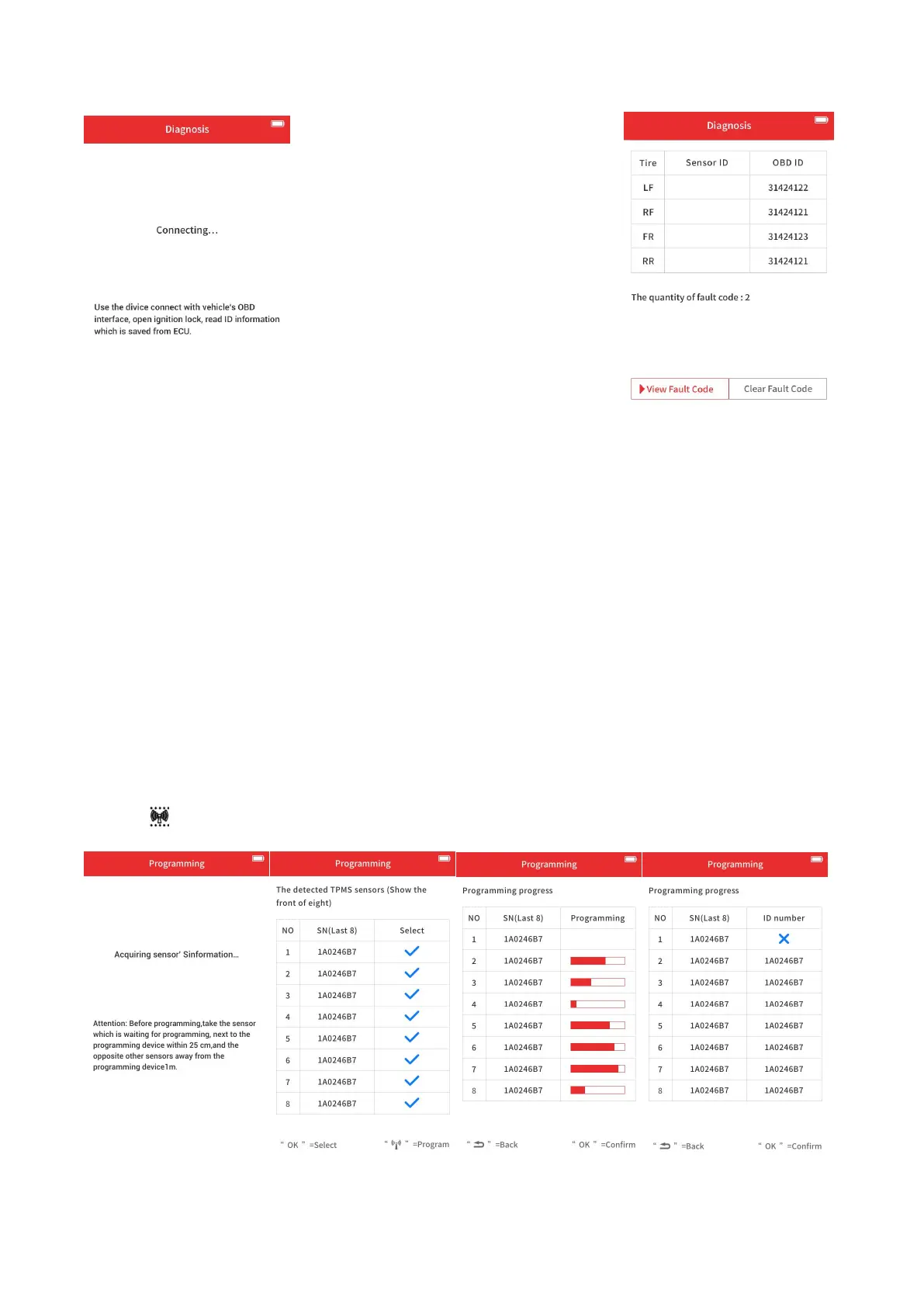
To program the sensor(s), select “auto-create ID” on the tool, and put all the sensor(s) you need to program close to the
top of the tool. The tool will automatically scan the sensor(s) around it and show it(them) on the screen.
The screen will show the S/N of the sensor(s) when detected; check iif the S/N is correct.
If so, click button to start programming; if not. Click “Back” button and detect again.


 To Next Page