4. UPDATE
This tool can be updated by Wifi connection or PC update tool. We will be introduce them one by one.
WI-FI UPDATE
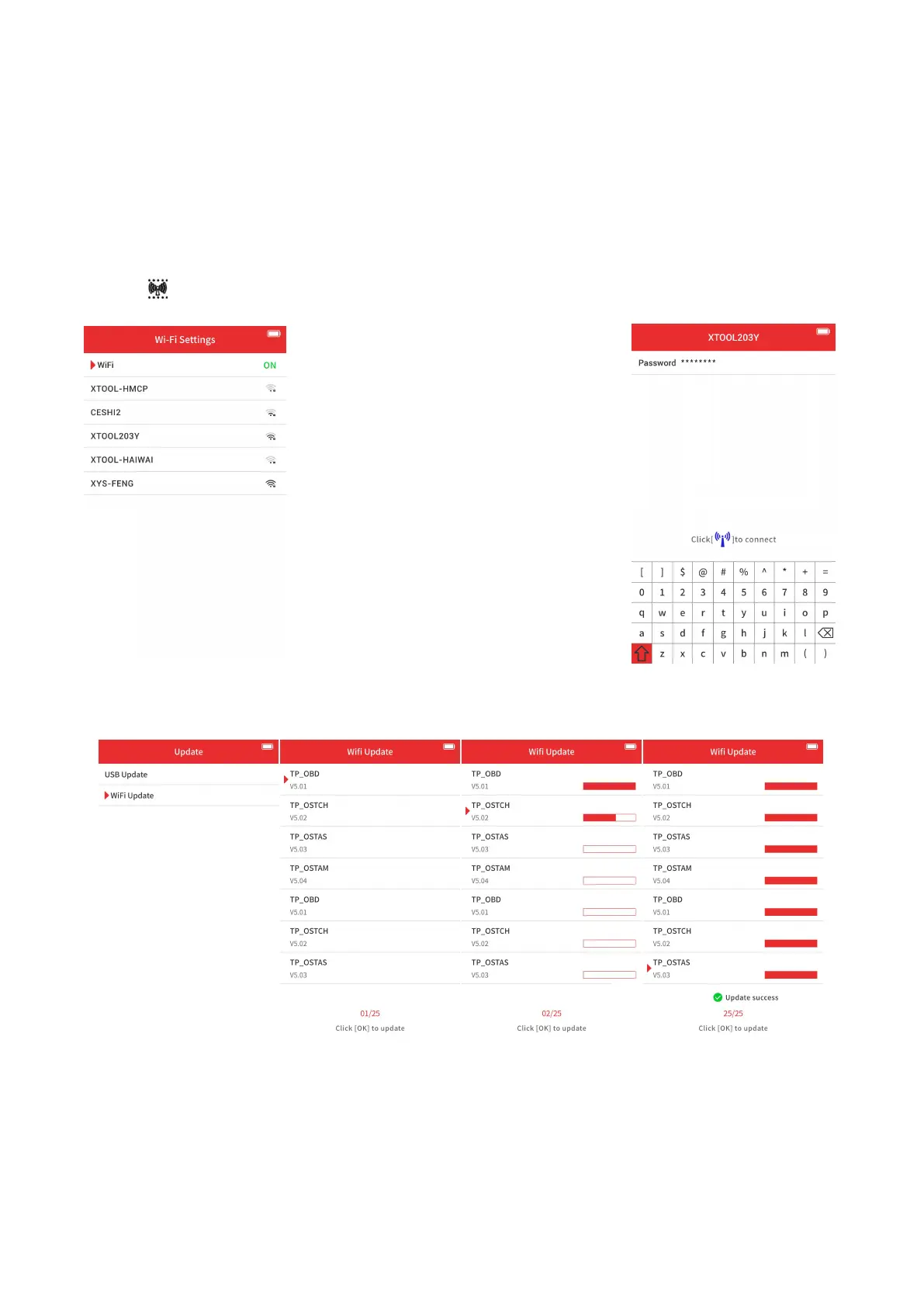
Before doing that, please go to Wifi settings, turn on Wi-Fi and select the network you want to connect. Input password,
then click to connect.
Then go to update menu. The device will automatically search for updates, and show them on the screen. You can select
all of them and click “OK” to update.
The device will automatically update the software. After the update is done, we suggest to restart the device to apply the
updates.


 To Next Page