2. TPMS FUNCTIONS
By selecting the TPMS menu on the main screen, this tool can perform various TPMS-related functions like diagnostics,
check sensors and provide learning instructions.
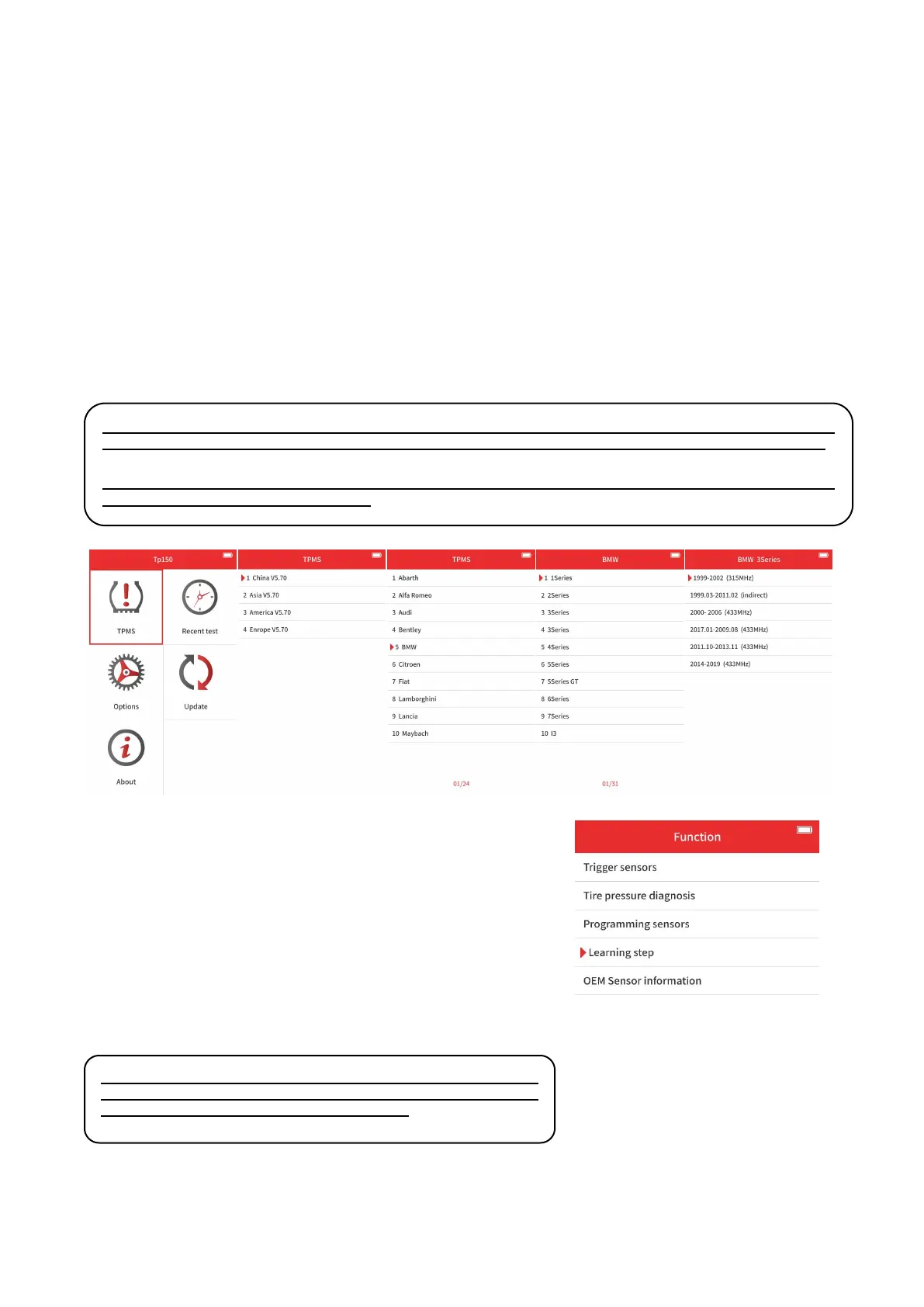
MAIN MENU & MODEL SELECTION
Select the TPMS menu and get into the vehicle selection page.
Then select the vehicle area. The area is determined by where the manufacturer is founded, like you need to get into
America menu to find Ford.
Then select the manufacturer, the model and the model year.
⚠
Note: Sometimes there are vehicles that are in the same model year, but with different sensors or different
frequencies. You can check the repair manual, or check the OEM sensor itself to get inside the correct menu.
⚠
Note: There are some models that are using indirect TPMS systems. Those models do not have sensors
inside so they are mostly not supported.
When you selected the model, you can choose one of the functions below:
Sensor Check: Check the sensor that has already installed inside the
vehicle.
Diagnostics: Check & clear the fault codes that are inside the system,
and check the sensor IDs saved inside the system.
Programming: Program XTOOL tire-pressure sensors to make them fit
inside the vehicle.
Relearn: After installation, if the ID of the sensor doesn’t match the
sensor ID inside the vehicle, check the relearning steps to match those
IDs.
Sensor Information: Check the information on the OEM sensors and
XTOOL sensors.
⚠
Note: Not all the models support all those functions listed
above. Please check the support list on our official website to see
if the tool can perform the functions you need.


 To Next Page