108
Main Menu 3.6
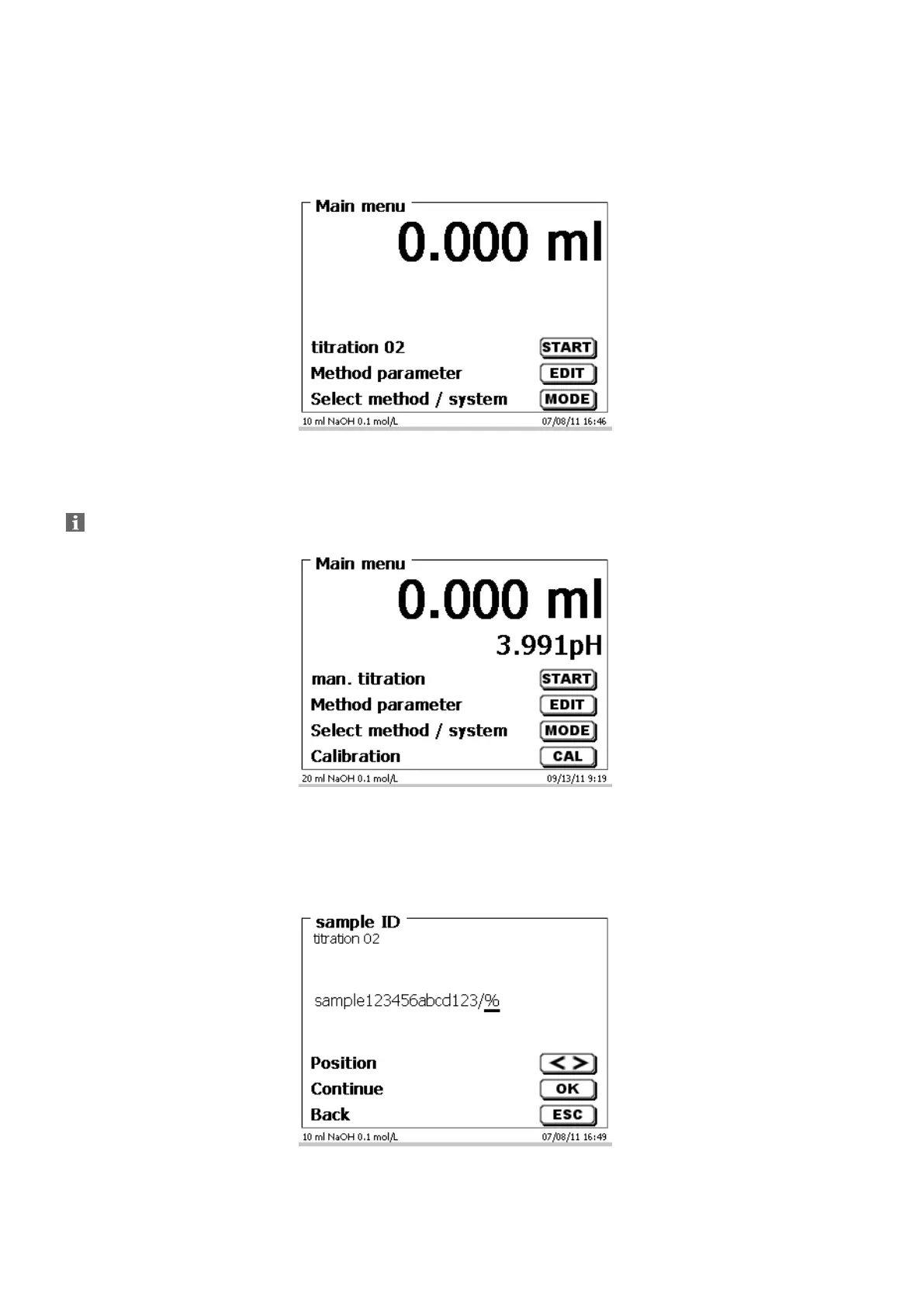
After power-up, the main menu is always the first menu to appear.
The method displayed will always be the last method that was used (Fig. 36).
Fig. 36
3.6.1 Manual Titration
Manual titration is impossible without the manual controller.
Fig. 37
<START> or pressing the black key on the manual controller will start the manual titration method.
Depending on the method settings, you will be prompted for the sample identification (Fig. 38) and the weighed-in
quantity (Fig. 39). You can use an external PC keyboard for entering a 20-digit alphanumeric sample ID.
Fig. 38


 To Next Page