116
Delete Method 4.4
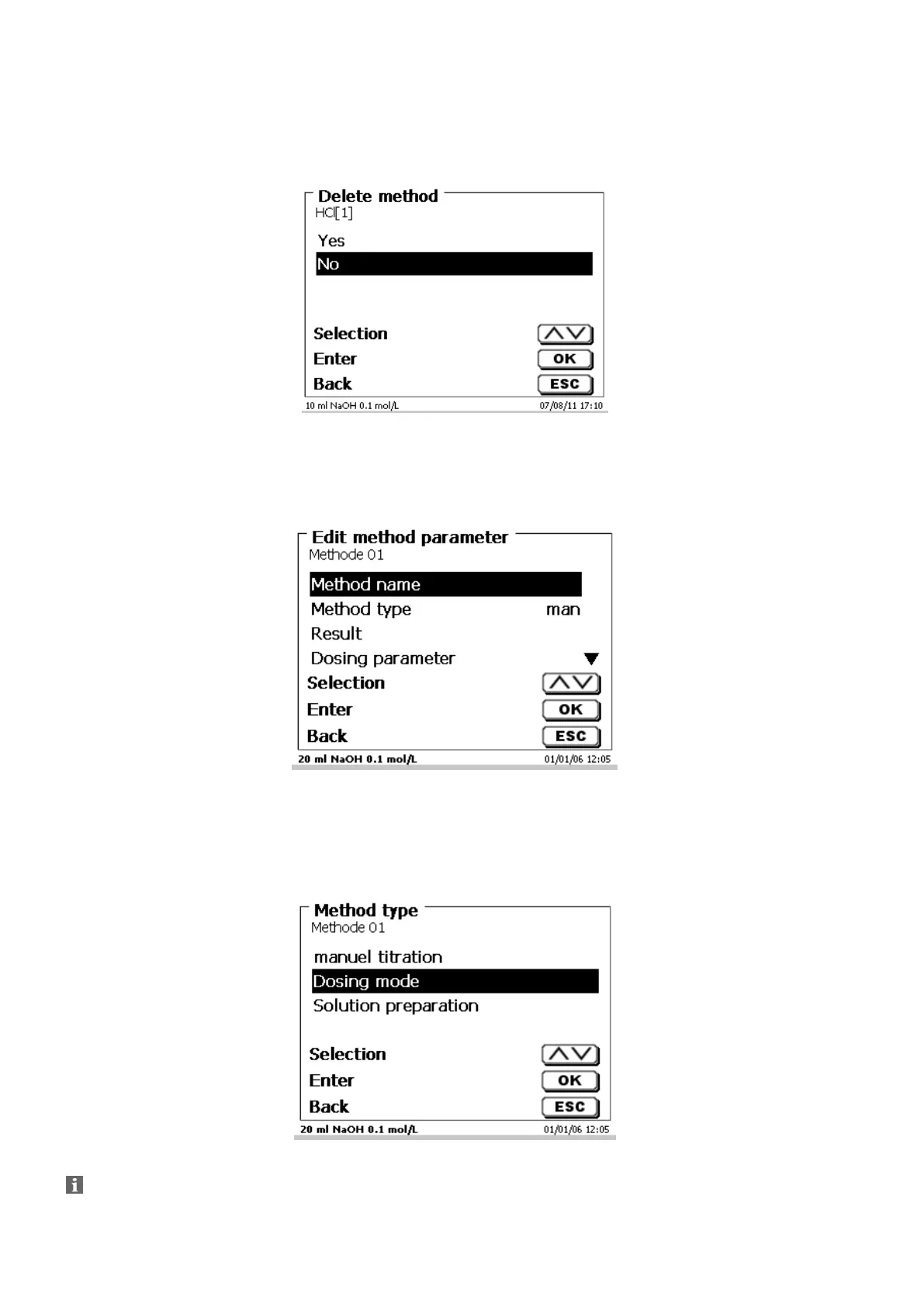
In this function you will be prompted to know whether the current method is actually to be deleted (Fig. 60).
You have to reply «Yes» in explicit terms and also confirm this reply with <ENTER>/<OK>.
Fig. 60
Change Method Parameters 4.5
The input or modification of the method name was already described in 4.1 and 4.3
Fig. 61
4.5.1 Method type
On the «Method type» you can select whether you wish to perform a manual or automatic titration, a dosage or
whether you wish to prepare a solution. In addition one can also carry out a measurement:
Fig. 62
The selection of the Method type will have an influence on the further parameterisation of the method.
For instance, if you select the dosing mode, neither a selection of a formula will be available.


 To Next Page