114
4 Method parameters
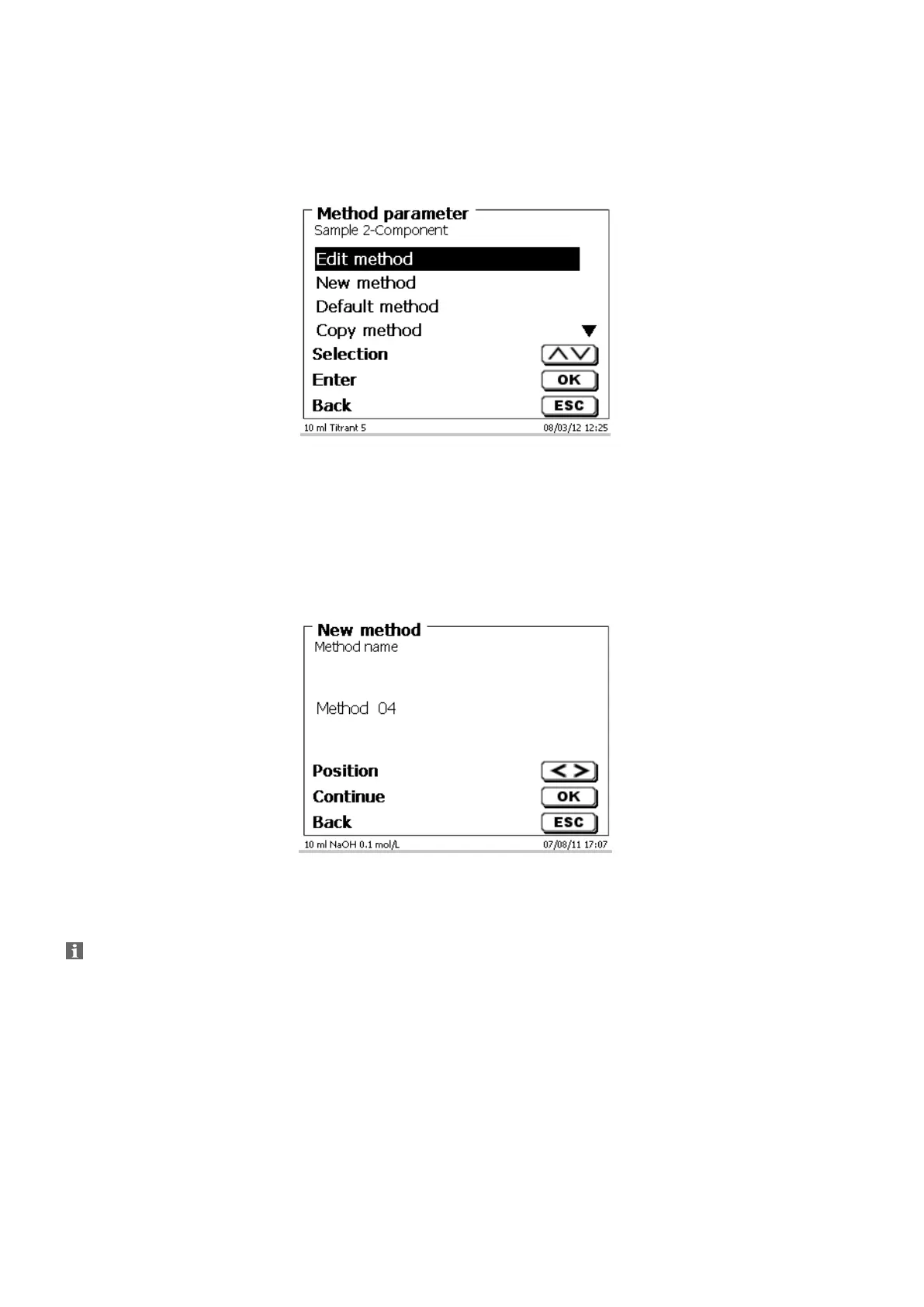
From the main menu, <EDIT> will take you to the method parameters (Fig. 55).
Fig. 55
Method editing and new method 4.1
If you select «edit method» or «new method» you will be taken to the modification or new creation of a method.
Selecting «new method» will always lead to the prompt for the input of a method name (Fig. 56).This prompt will
not appear in the case of the modification of an already created method.
Fig. 56
The method name can contain up to 21 characters. Special characters are also possible.
If no keyboard is connected, the method name being displayed has to be adopted.
Numbering of methods will occur automatically. Press <ENTER>/<OK> to confirm the input.
The method name can be changed at any time.
Please continue at this point with 4.5 Change Method Parameters.


 To Next Page