137
Password 5.4
Please read the instructions before you activate the password!
When you activate the user management the first time, a user with administrator rights are created
automatically. Important for this first Administrator: Please note your password and user name. If you
forget it, you do not have access to the device anymore! In this case, please contact the service (see
backside of this document).
The administrator can create new users with different access levels to the instrument software.
The TITRONIC
®
500 and TitroLine
®
6000 allow maximum 5 users and all 7XXX titrators up to 10 users.
5.4.1 Creation of the first Administrator
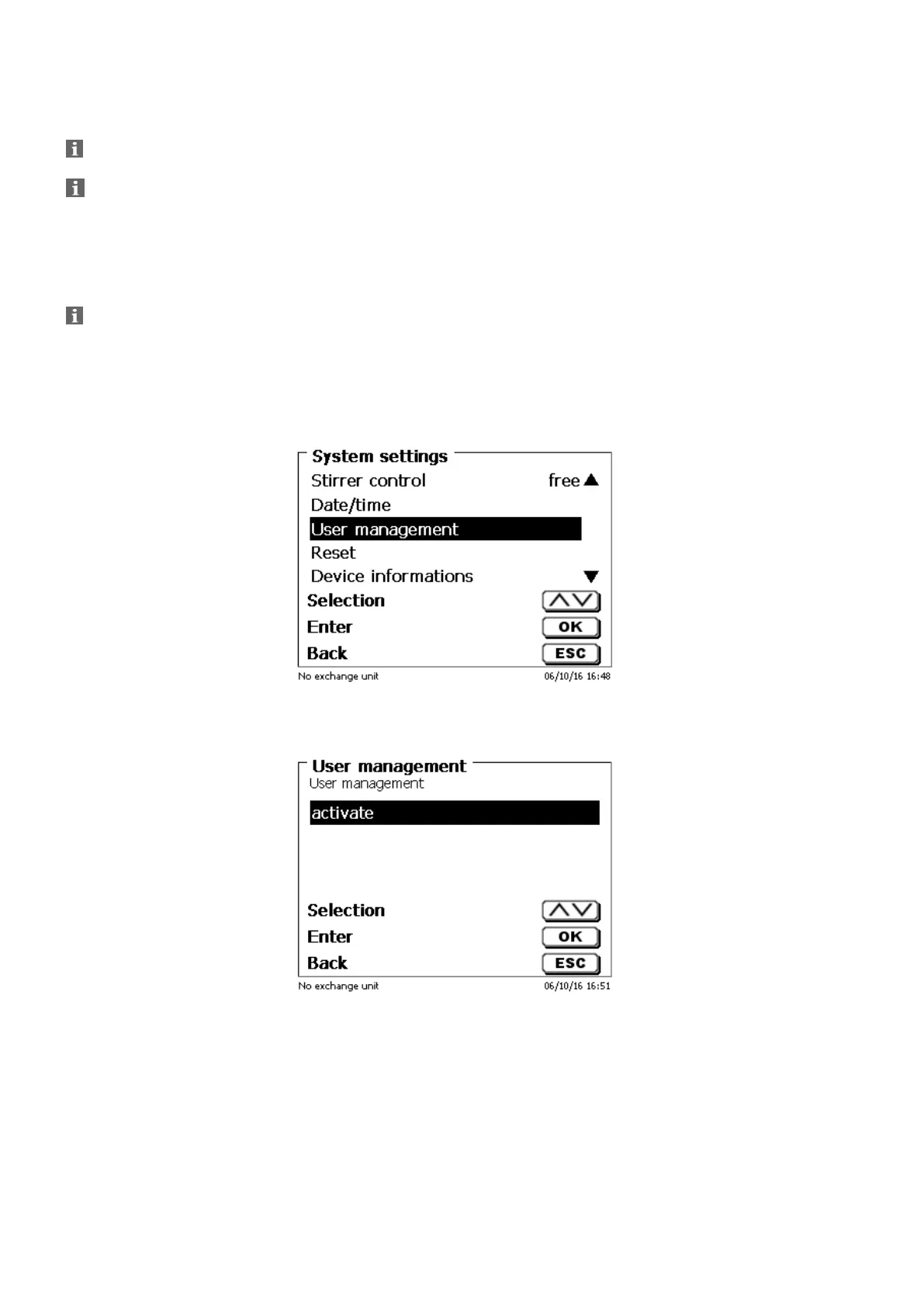
Go to «System settings» and select «User management» (Fig. 112).
Confirm the selection with <ENTER>/<OK>.
Fig. 112
«Activate» the User management with <ENTER>/<OK> (Fig. 113).
Fig. 113


 To Next Page