INSTALLING INSTRUMENT
SWITCH PANEL
Disconnect the battery leads before
installing or disconnecting electrical com-
ponents.
Install the switch panel on the dashboard in
a position allowing easy access from the
helmsman’s seat. If the boat has no dash-
board, install the switch panel in an acces-
sible position protected from water spray.
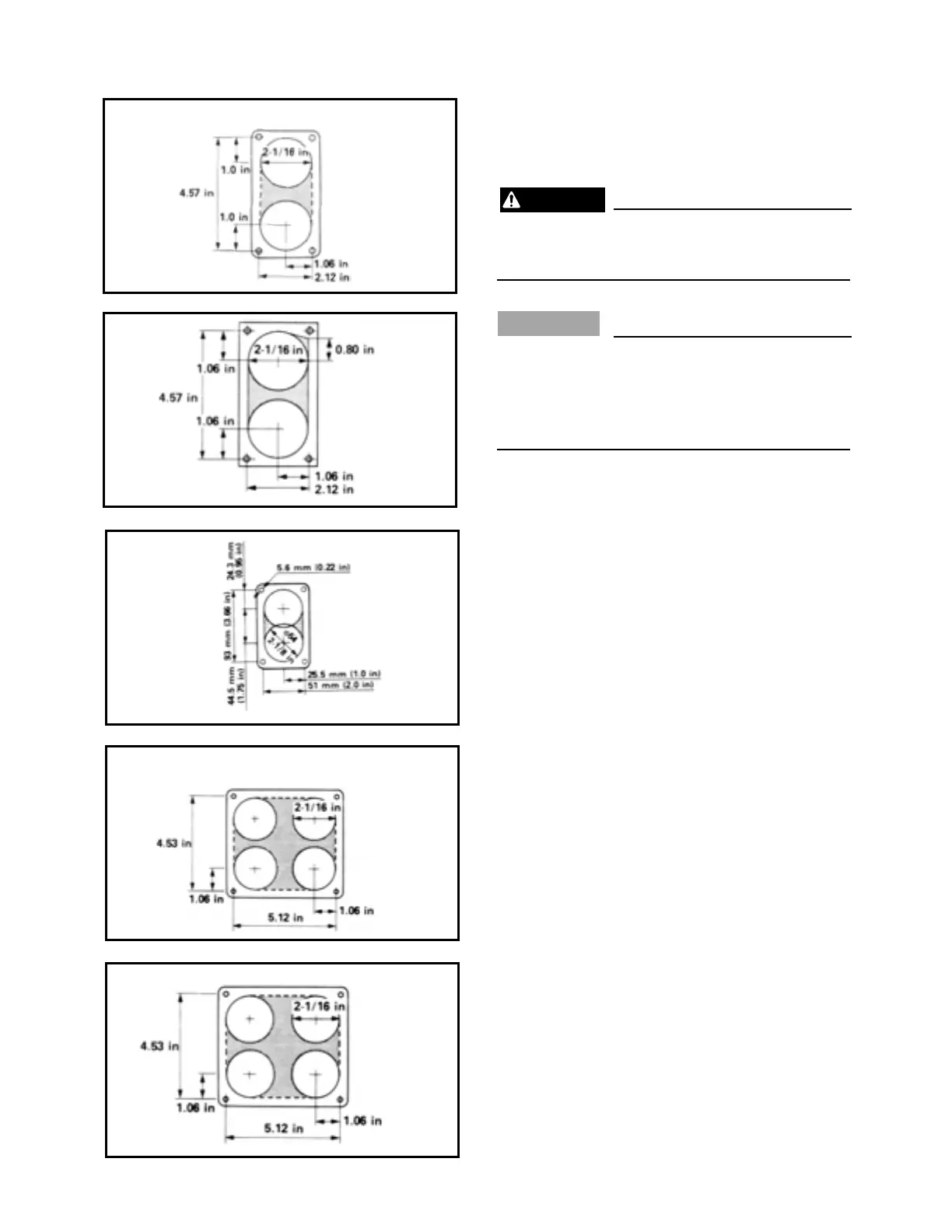
1) Cut a hole in the instrument panel as indi-
cated in this mounting diagram. Using a
correct inch hole saw, make holes and
then cut out the center portion as shown.
2) Connect the wiring-harness to the switch
panel assembly, and pass it back through
the hole.
3) Secure the switch panel assembly to the
instrument panel with the screws, washers
and nuts provided.
4) Connect the wiring-harness to the cou-
pling, lining up the arrow and triangle and
lock the connection with the wiring-
harness lock.



 To Next Page