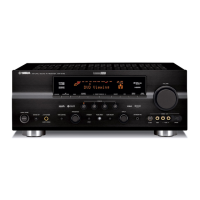
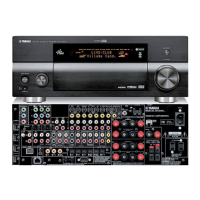
RX-V361/HTR-6030/DSP-AX361
17
RX-V361/HTR-6030/
DSP-AX361
Optical cable
光ファイバーケーブル
DVD/CD player
DVD/CDプレーヤー
Main unit
本機
DVD/CD player
DVD/CDプレーヤー
Main unit
本機
Digital audio pin cable
デジタルピンケーブル
Fig. 1
■ UPDATING FIRMWARE / ファームウェアの書き込み
下記部品をサービス部品に交換した場合、最新のファーム
ウェアの書き込みを行ってください。
・ DSPP.C.B.
・ IC201(DSPP.C.B.)
● 必要なツール
・ DVDまたはCDプレーヤー(DIGITALOUTPUT
(OPTICALまたはCOAXIAL)端子付き)
・ 光ファイバーケーブル(OPTICAL端子使用時)
・ デジタル音声ピンケーブル(COAXIAL端子使用時)
・ ファームウェアCD
※ ファームウェアCDは、PCへ最新のファーム
ウェアを指定のダウンロード先からダウンロー
ドして制作してください。
● 操作方法
1. 本機とDVD/CDプレーヤーを下記のように接続しま
す。(Fig.1)
Example of OPTICAL terminal / OPTICAL端子使用例
Example of COAXIAL terminal / COAXIAL端子使用例
After replacing the following parts with the replacement part,
be sure to write the latest firmware.
• DSP P.C.B.
• IC201 (DSP P.C.B.)
● Required Tools
• DVD or CD player (with DIGITAL OUTPUT (OPTICAL
or COAXIAL) terminal)
• Optical cable (when OPTICAL terminal is used)
• Digital audio pin cable (when COAXIAL terminal is
used)
• Firmware CD
* To make the firmware CD, download the latest firm-
ware from the specified download source to PC.
● Operation Procedures
1. Connect the main unit and DVD/CD player as shown
below. (Fig. 1)



 To Next Page
 Loading...