39
RX-V463/HTR-6140/DSP-AX463
RX-V463/HTR-6140/
DSP-AX463
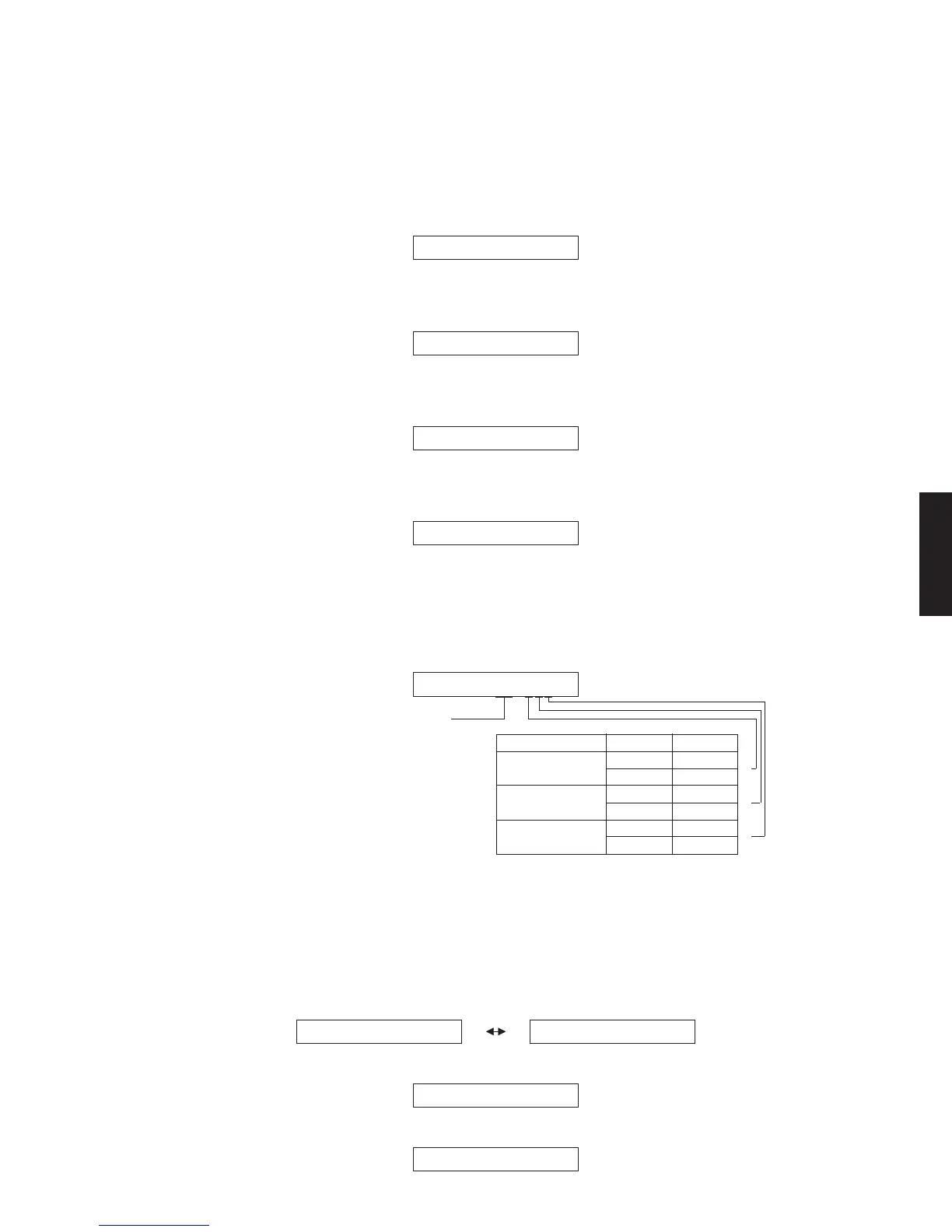
M. HDMI SELECT
The selected input signal is output to HDMI OUT
by the sub-menu operation.
HDMI SPDIF (SPDIF audio playback)
SPDIF signal is output.
M1.HDMI SPDIF
HDMI NONE
No signal is output.
M2.HDMI MONE
HDMI IN1
HDMI “IN 1” is output.
M3.HDMI IN1
HDMI IN2
HDMI “IN 2” is output.
M4.HDMI IN2
I2C : xx xxx (I2C access check)
Self-diagnosis is executed to check whether data
reading/writing between the microprocessor con-
nected to the 12C line and each IC is done properly or
not.
M5.I2C:NG NYN
All Y / すべてY = “OK”
Others / その他 = “NG”
HDMI Rx
(IC12 DSP P.C.B.)
HDMI Tx
(IC11 DSP P.C.B.)
*
OK
NG
OK
NG
OK
NG
Y
N
Y
N
Y
N
Check item Result Display
Model ID for EDID setting
(U, C, T, K, G, E, F models)
After replacement of DSP P.C.B or writing of the firmware,
make sure to change the “M6 Model ID” setting to the
same model name as this unit (RX-V463 or HTR-6140).
Press “PRESET/TUNING<” or “PRESET TUNING>”
key for selection.
M. HDMISELECT
サブメニュー操作により,選択された入力信号を
HDMIOUTへ出力します。
HDMISPDIF(SPDIFaudioplayback)
SPDIF信号が出力されます。
HDMINONE
何も出力されません。
HDMIIN1
HDMIIN1が出力されます。
HDMIIN2
HDMIIN2が出力されます。
I2C:xxxxx(I2Caccesscheck)
I2Cラインに接続されているマイコンと各IC間でデー
タ読み出し/書き込みの正否を自己診断します。
ModelIDforEDIDsetting
M6.HTR-6140M6.RX-V463
M6.RX-V463
R, A, L models
M6.DSP-AX463
B, J models



 To Next Page
 Loading...