PM5DV2/DSP5D Editor Owner’s Manual
49
For PEQ
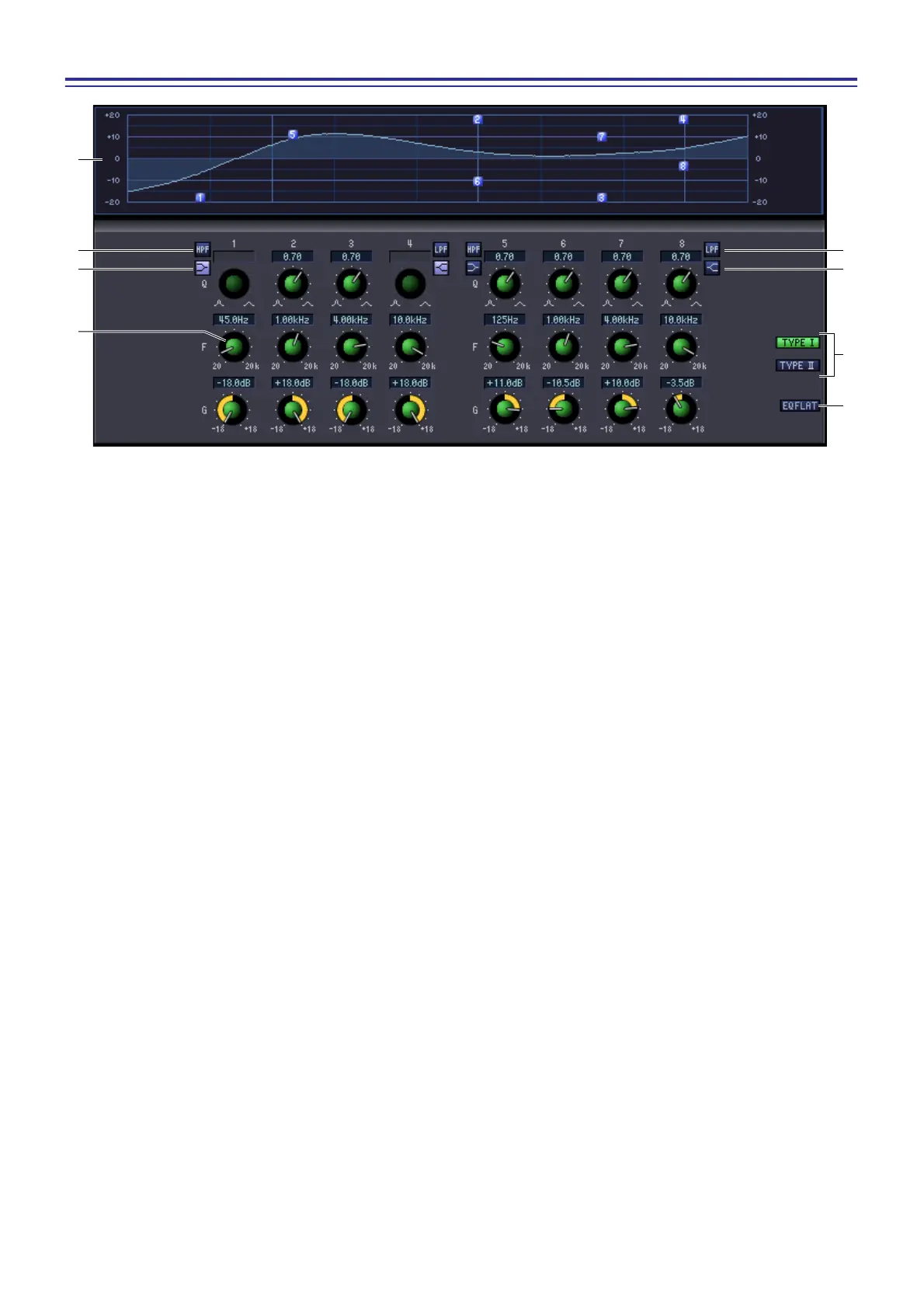
K PEQ graph
This graph shows the response of the currently selected module.
L HPF (High Pass Filter) button
If this button is on, band 1 or 5 will change to a high-pass filter. The Q knob for 1 or 5 will disappear, and the
GAIN knob will operate as a switch that turns the high-pass filter on/off.
M Low Shelving button
If this button is on, band 1 or 5 will change to a shelving-type filter. (The Q knob for 1 or 5 will disappear.)
N PEQ knobs
The three knobs Q, F (center frequency), and G (gain) specify the response for each of the eight bands. You can
edit the value by using the mouse to operate the knobs, or by double-clicking the value and typing the desired
value.
O LPF (Low Pass Filter) button
If this button is on, band 4 or 8 will change to a low-pass filter. The Q knob for 4 or 8 will disappear, and the
GAIN knob will operate as a switch that turns the low -pass filter on/off.
P High Shelving button
If this button is on, band 4 or 8 will change to a shelving-type filter. (The Q knob for 4 or 8 will disappear.)
Q TYPE I / TYPE II (EQ type)
Here you can select either TYPE I (the same algorithm as on the previous 02R series) or TYPE II (a newly devel-
oped algorithm) as the EQ type.
R EQ FLAT button
This button resets all gain controls to the 0 dB position.
K
L
M
N
R
O
P
Q











 To Next Page