20
DTX-PRO Owner’s Manual
Changing the Overall Settings
Setup Guide
Restoring DTX-PRO Settings to the Factory Defaults (Factory
Reset)
Use the Factory Reset function to restore the DTX-PRO’s settings to their factory defaults, even if you have accidentally
overwritten them.
Performing a Factory Reset
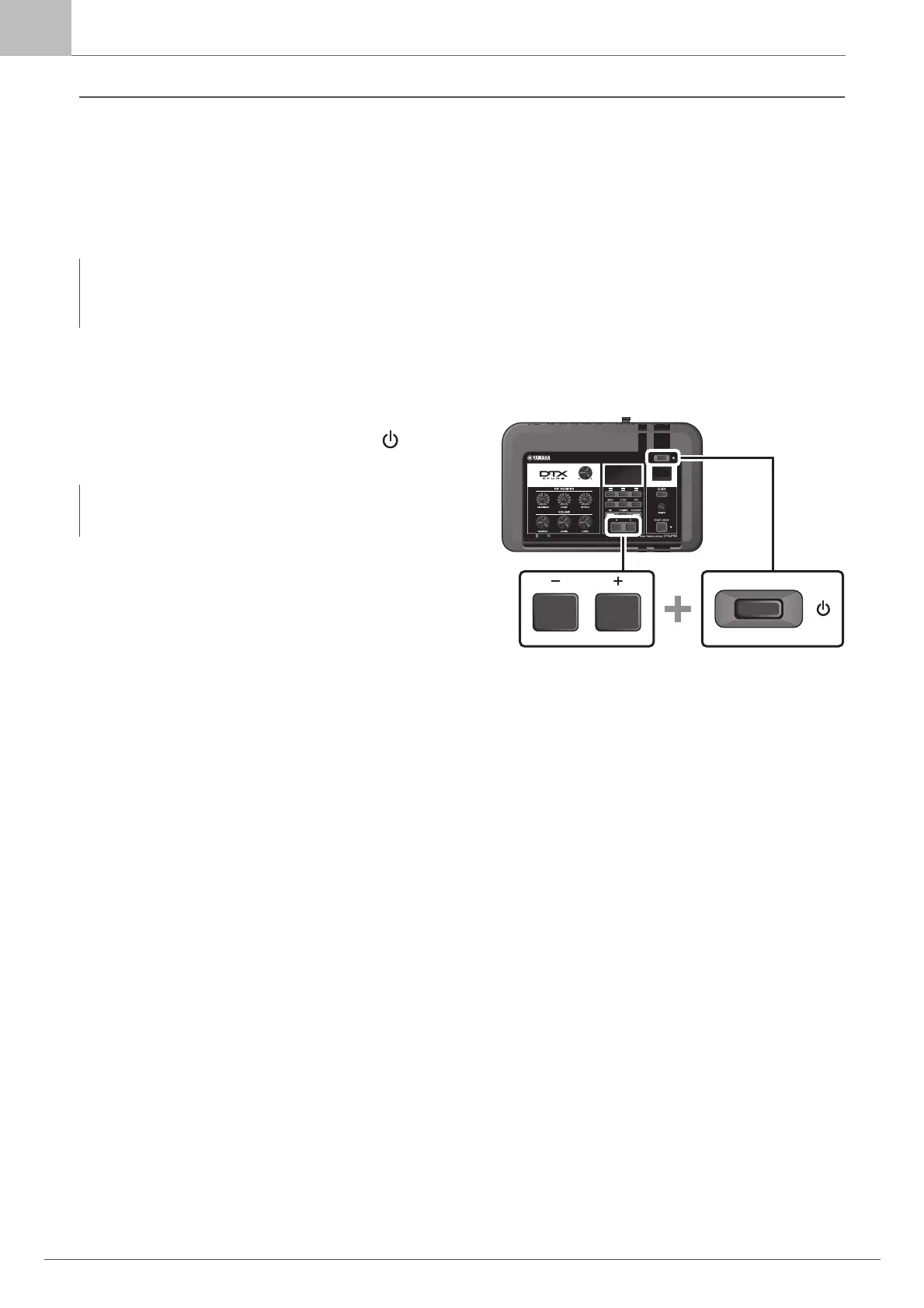
First, make sure that the DTX-PRO is turned off. Then, while
holding down the [–] and [+] buttons, press the [ ] (Standby/
On) button to perform the Factory Reset function.
NOTICE
A factory reset overwrites any settings you have made with the corresponding factory defaults. Save any important user-
defined data to a USB flash drive before carrying out a factory reset. For more information, refer to the Reference Manual
(PDF). (MENU/File)
NOTE
You can also access the factory reset with the [MENU] button.
(MENU/Factory Reset)



 To Next Page