29
DTX-PRO Owner’s Manual
Basic Operation of the DTX-PRO
Basic Guide
Selecting a Kit
1.
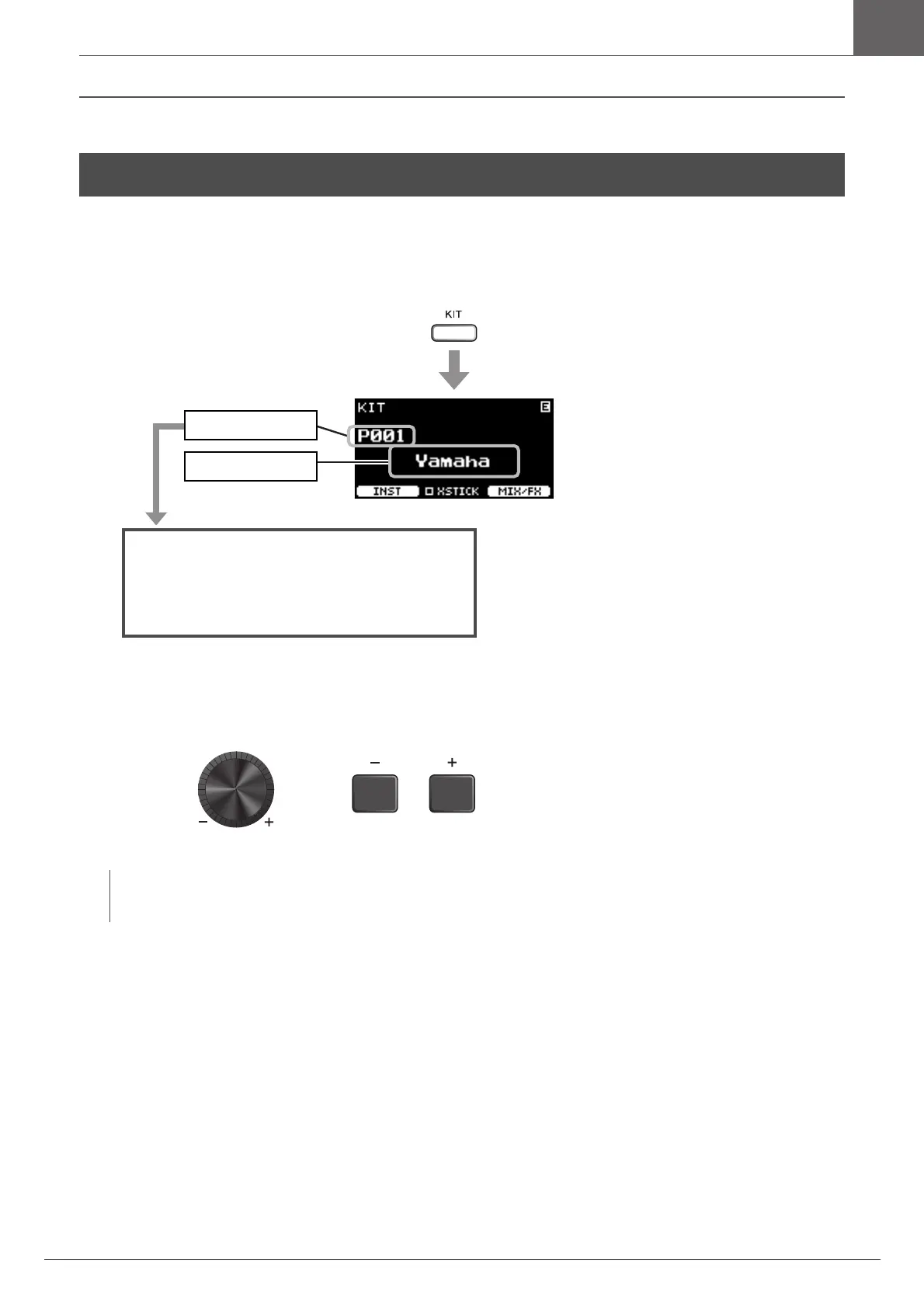
Press the [KIT] button.
The KIT screen appears.
2.
Use the [–][+] controllers to select a kit.
Basic Operation of the DTX-PRO
NOTE
If you’ve inadvertently selected another Kit before storing the Kit being edited, you can use the recall function to recall the
edited contents. For more information, refer to the Reference Manual (PDF). (MENU/Job/Kit/Recall)
* This screen is shown when multi-piezo pads
are connected.
Kit number
Kit name
P***: Preset Kits (Presets that are already
stored in the DTX-PRO)
U***: User Kits (Kits you have created)



 To Next Page