10
DTX-PRO Owner’s Manual
Panel Controls and Functions
Top Panel
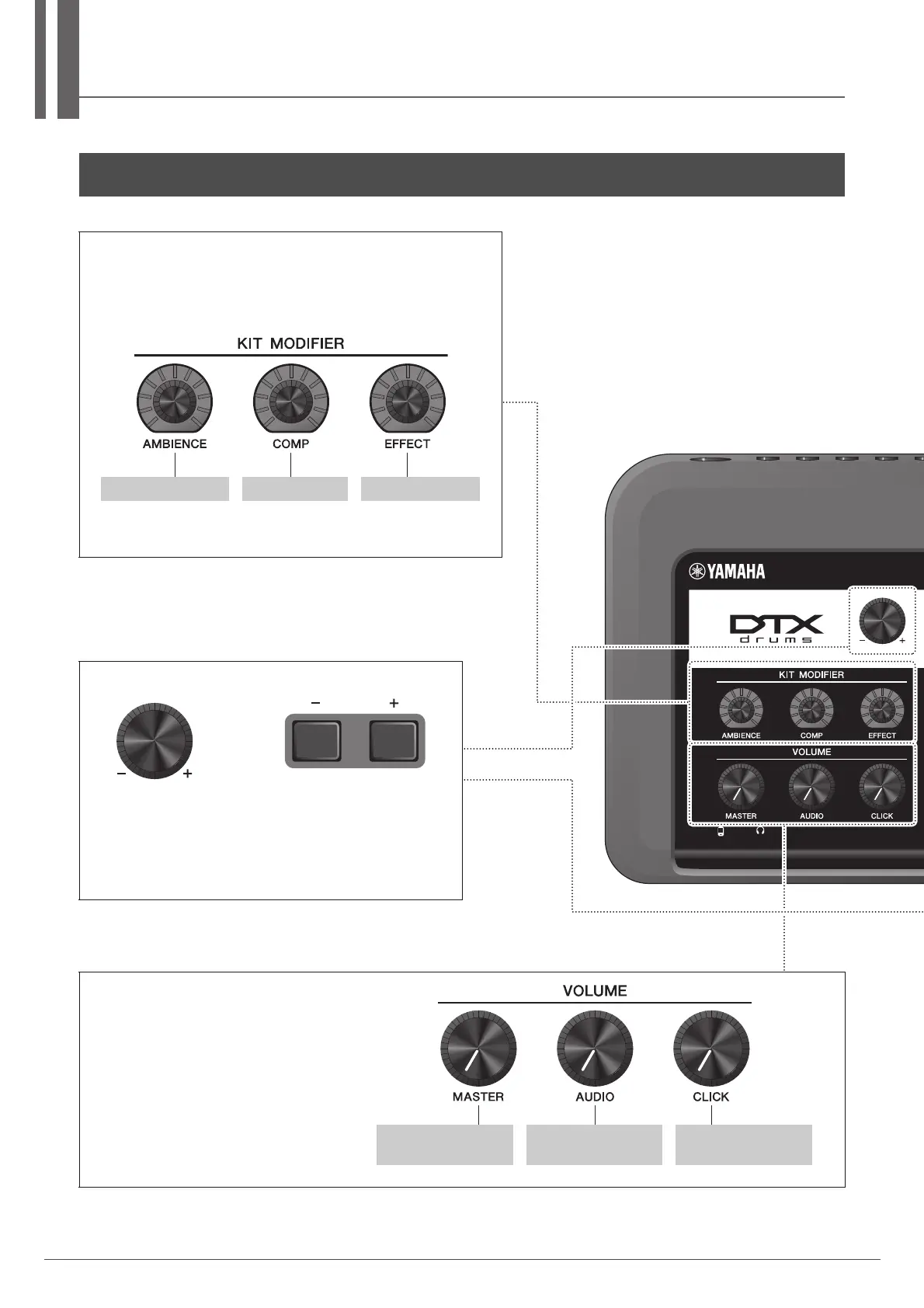
KIT MODIFIER knobs
Adjust the amount of Ambience (the background sounds of the location),
Comp (the punchiness or loudness of the sound), Effect (other effects
assigned to the Kit)
Structure of the Kit (page 23)
Adjusting (Modifying) the Sound Effects (page 30)
[AMBIENCE] knob [COMP] knob [EFFECT] knob
Increases or decrease the value(s).
The knob is useful for changing multiple values, while the buttons
are useful for changing the value in steps. In this manual, the [–][+]
knob, the [–] button and the [+] button are collectively called the
“[–][+] controllers” for situations where you can use either the knob
or the buttons.
[–][+] knob [–] button [+] button
VOLUME knobs
Adjusts the Master volume (overall sounds),
audio volume (other than your performance
and the click), and Click volume.
[MASTER VOLUME]
knob
[AUDIO VOLUME]
knob
[CLICK VOLUME]
knob



 To Next Page