To Next Page

R
rachel56Sep 12, 2025
Why is my Yamaha Home Theater System unable to play DivX® movies?
- LlancemooreSep 12, 2025
Check that the DivX® file was encoded in ‘Home Theater’ mode with a DivX® 5.x encoder.

Why is my Yamaha Home Theater System unable to play DivX® movies?
Check that the DivX® file was encoded in ‘Home Theater’ mode with a DivX® 5.x encoder.
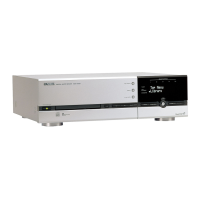
What to do if Yamaha DVX-S301 DVD receiver does not work?
Disconnect the power cord from the power outlet for a few minutes. Reconnect the power cord and try to operate again as usual.
Why doesn't the Yamaha Home Theater System remote work for operating other equipment?
If the remote control for your Yamaha Home Theater System does not work for operating other equipment, set the correct remote control code. Depending on the model and year of the product, the DVD receiver’s remote control may not be able to operate it partly or wholly. In this case, use the remote control supplied with each product.
Why can't I activate Angles, Subtitles, or multi-language Audio on my Yamaha DVX-S301 Home Theater System?
If you cannot activate features like Angles, Subtitles, or multi-language Audio on your Yamaha Home Theater System, it may be because these features are not available on the DVD or changing the language for the sound or subtitle is prohibited on the DVD.
Why can't I copy DVD videos with the VCR using my Yamaha Home Theater System?
Most commercially available DVDs include copy protection features, meaning you cannot make a copy of these DVDs with your Yamaha Home Theater System.
Why does my Yamaha Home Theater System eject the disc without any operation?
If your Yamaha Home Theater System ejects the disc without any operation, make sure that you are using a disc supported by the DVD receiver.
Why is my Yamaha DVX-S301 Home Theater System remote not working?
If the remote control for your Yamaha Home Theater System is not functioning properly, try the following: * Select the correct source (DVD/CD or TUNER) before pressing any function buttons. * Reduce the distance between the remote and the receiver. * Replace the batteries with new ones. * Point the remote directly at the remote control sensor. * Check that the batteries are loaded correctly.
What does “SPEAKER ERR” mean on my Yamaha DVX-S301 Home Theater System?
If “SPEAKER ERR” appears on the display panel of your Yamaha Home Theater System: * Unplug the subwoofer, then make sure the front, center, and surround speakers are connected correctly. * Set the DVD receiver to standby mode, disconnect the power cord, wait 30 seconds, reconnect the power cord, and turn on the DVD receiver.
What to do if Yamaha DVX-S301 Home Theater System picture is distorted?
If you are getting a completely distorted picture or a black and white picture on your Yamaha Home Theater System: * If this happens when changing the setting of the ‘TV TYPE’, wait 15 seconds for auto recovery. * If this happens when turning on the progressive scan feature, wait 15 seconds for auto recovery. * Check the video connection. * Clean the disc. Sometimes a small amount of picture distortion may appear which is not a malfunction.
Why is there no sound from center, surround speakers and subwoofer on Yamaha DVX-S301?
If there is no sound from the center, surround speakers, and subwoofer on your Yamaha Home Theater System: * Make sure the center, surround speakers, and subwoofer are connected correctly. * Adjust the volume level in the setup menu. * Press the SURR button to select a correct surround sound setting. * Ensure the source you are playing is recorded or broadcast in surround sound (DTS, Dolby Digital, etc.).
Lists supported disc types for playback.
Details the meaning of warning symbols used in the manual.
Provides warnings and guidelines regarding laser radiation exposure.
Explains the functions of each button on the remote control.
Recommends speaker placement for optimal surround sound.
Instructions for positioning the center speaker, including wall mounting.
Guidance on wall mounting and base attachment for front/surround speakers.
Diagram and steps for connecting speakers in the DVX-S301 system.
Diagram and steps for connecting speakers in the DVX-S302 system.
Diagram and steps for connecting speakers in the DVX-S303 system.
Instructions for connecting speaker cables to speakers and subwoofer.
Guide for connecting the DVD receiver to the subwoofer using the system control cable.
Options for connecting the DVD receiver to a television via various video outputs.
Adjusting delay times and volume levels for individual speakers.
Settings for night mode, speaker setup, CD upsampling, and lip sync.
Options for TV type, display, progressive scan, and picture settings.
Setting playback limits based on age ratings.
Solutions for when the unit does not turn on.
Steps to resolve issues with no video output.
Solutions for severe video distortion or lack of color.
Troubleshooting audio problems like no sound or distorted audio.
Solutions for issues with the remote control's operation.
Reasons and fixes for DivX playback errors.
Technical specifications for the main DVD receiver unit.
Technical specifications for the NX-SW300 subwoofer.
Technical specifications for the NX-SW301 subwoofer.
 General
| Brand | Yamaha |
|---|---|
| Model | DVX-S301 |
| Category | Home Theater System |
| Language | English |