EasyManua.ls Logo

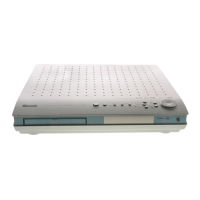
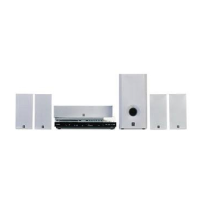
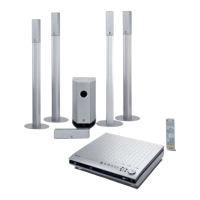
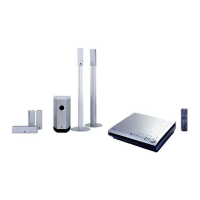
Yamaha DVX-S301 - User Manual

Yamaha DVX-S301
65 pages
Print Icon
To Next Page IconTo Next Page
Loading...
YAMAHA ELECTRONICS CORPORATION, USA
6660 ORANGETHORPE AVE., BUENA PARK, CALIF. 90620, U.S.A.
YAMAHA CANADA MUSIC LTD.
135 MILNER AVE., SCARBOROUGH, ONTARIO M1S 3R1, CANADA
YAMAHA ELECTRONIK EUROPA G.m.b.H.
SIEMENSSTR. 22-34, 25462 RELLINGEN BEI HAMBURG, GERMANY
YAMAHA ELECTRONIQUE FRANCE S.A.
RUE AMBROISE CROIZAT BP70 CROISSY-BEAUBOURG 77312 MARNE-LA-VALLEE CEDEX02, FRANCE
YAMAHA ELECTRONICS (UK) LTD.
YAMAHA HOUSE, 200 RICKMANSWORTH ROAD WATFORD, HERTS WD18 7GQ, ENGLAND
YAMAHA SCANDINAVIA A.B.
J A WETTERGRENS GATA 1, BOX 30053, 400 43 VÄSTRA FRÖLUNDA, SWEDEN
YAMAHA MUSIC AUSTRALIA PTY, LTD.
17-33 MARKET ST., SOUTH MELBOURNE, 3205 VIC., AUSTRALIA
©
2005 All rights reserved.
DVX-S301/DVX-S302/DVX-S303
CA
OWNER’S MANUAL
MODE D’EMPLOI
Printed in China 3139 246 16151
DVX-S300_CA_cv.fm Page 1 Tuesday, June 7, 2005 2:56 PM

Table of Contents

Other manuals for Yamaha DVX-S301

Questions and Answers

  • M
    Misty BowersSep 3, 2025
    Why won't my Yamaha DVX-S301 Home Theater System DVD receiver start playback?
    • M
      Megan WebsterSep 3, 2025
      If your Yamaha Home Theater System DVD receiver does not start playback, try these steps: * Insert a readable disc with the playback side facing down, ensuring DVD-R/ DVD+R/DVD-RW/DVD+RW/CD-R/CD-RW/DVD-RW (VR format) discs are finalized. * Check the disc type, color system (PAL or NTSC), and region code. * Check the disc for scratches or smudges. * Press SET UP to turn off the setup menu screen. * Enter the password if prompted for parental control. * If moisture has condensed inside, remove the disc and leave the receiver on for about an hour.
  • J
    Jacob GlennSep 2, 2025
    How to improve radio reception on Yamaha DVX-S301?
    • H
      Henry ClarkSep 2, 2025
      If the radio reception on your Yamaha Home Theater System is poor: * Adjust the antenna or connect an external antenna if the signal is weak. * Increase the distance between the receiver and your TV or VCR. * Tune in to the correct frequency. * Place the antenna farther away from any equipment that may be causing noise.
  • D
    David VelezSep 1, 2025
    What to do if there is no picture on Yamaha Home Theater System?
    • A
      Abigail SantanaSep 1, 2025
      If there is no picture on your Yamaha Home Theater System, refer to your TV’s manual for the correct Video In channel selection, changing the TV channel until you see the DVD screen. Also, press DVD/CD on the remote control to switch to DVD/CD mode.
  • J
    Joseph SnyderAug 31, 2025
    How to fix Yamaha DVX-S301 when it has no power?
    • A
      Amanda CarrilloAug 31, 2025
      If your Yamaha Home Theater System has no power, ensure the AC power cord is properly connected. If it is, press the STANDBY/ON button on the front of the receiver to turn on the power.
  • P
    Phillip WatsonAug 30, 2025
    How to fix no sound on Yamaha Home Theater System?
    • D
      donna76Aug 30, 2025
      If you are experiencing no sound or distorted sound with your Yamaha Home Theater System, try the following: * Adjust the volume. * Check if the system cable and speaker cables are properly connected. * Ensure audio cables are connected and the correct input source is selected (TV or AUX). * Verify the AC power cord of the subwoofer is properly connected. * Make sure you are using a disc supported by the DVD player.
  • H
    Hannah RobbinsAug 29, 2025
    Why I am not able to select some items in the setup/system menu on Yamaha Home Theater System?
    • J
      Janice JohnsonAug 29, 2025
      Press STOP twice before selecting the setup/system menu. Depending on the disc availability, some menu items cannot be selected on your Yamaha Home Theater System.
  • B
    baueralbertAug 28, 2025
    What to do if remote control does not work for operating other equipment on Yamaha DVX-S301 Home Theater System?
    • J
      Jacqueline ParkerAug 28, 2025
      To fix the remote control not working for operating other equipment on your Yamaha Home Theater System, set the correct remote control code. Note that depending on the model and year of the product, the DVD receiver’s remote control may not be able to operate it partly or wholly. In this case, use the remote control supplied with each product.
  • P
    patrick69Aug 27, 2025
    Why Yamaha DVX-S301 has no sound from the center, surround speakers and subwoofer?
    • M
      Maria LawrenceAug 27, 2025
      If there is no sound from the center, surround speakers, and subwoofer on your Yamaha Home Theater System, ensure they are connected correctly. Adjust the volume level in the setup menu. Press the SURR button to select the correct surround sound setting. Make sure the source you are playing is recorded or broadcast in surround sound (DTS, Dolby Digital, etc.).
  • C
    Catherine LawrenceAug 26, 2025
    Why Yamaha Home Theater System remote control does not function properly?
    • M
      Mary NicholsAug 27, 2025
      If your Yamaha Home Theater System remote control isn't working correctly, first select the correct source (like DVD/CD or TUNER) before using function buttons. Try reducing the distance between the remote and the receiver, and ensure you're pointing it directly at the remote control sensor. Replace the batteries with new ones, making sure they are correctly installed.
  • A
    Amber ThompsonAug 25, 2025
    What to do if Yamaha DVX-S301 Home Theater System has no sound or distorted sound?
    • O
      Olivia NelsonAug 26, 2025
      If you're not getting any sound or the sound is distorted from your Yamaha Home Theater System, try the following: * Adjust the volume. * Check that the system cable is properly connected. * Ensure all speaker cables are correctly connected. * Verify the audio cables are connected, and select the correct input source (like TV or AUX) using the Input selection buttons to match the equipment you're using. * Check the AC power cord of the subwoofer. * Ensure you're using a disc supported by the DVD Player.

Summary

Features

Playable Disc Formats

Lists supported disc types for playback.

Important Safety Instructions

Explanation of Graphical Symbols

Details the meaning of warning symbols used in the manual.

FCC Information

Laser Safety

Provides warnings and guidelines regarding laser radiation exposure.

Functional Overview

Remote Control (For DVR-S300)

Explains the functions of each button on the remote control.

Connections

Roles and Layout of the Speakers

Recommends speaker placement for optimal surround sound.

Placing the Center Speaker

Instructions for positioning the center speaker, including wall mounting.

Placing the Front;Surround Speakers

Guidance on wall mounting and base attachment for front/surround speakers.

System Connections

Connecting the Speakers (DVX-S301)

Diagram and steps for connecting speakers in the DVX-S301 system.

Connecting the Speakers (DVX-S302)

Diagram and steps for connecting speakers in the DVX-S302 system.

Connecting the Speakers (DVX-S303)

Diagram and steps for connecting speakers in the DVX-S303 system.

Connecting the Speaker Cables

Instructions for connecting speaker cables to speakers and subwoofer.

Connecting the DVD Receiver and the Subwoofer

Guide for connecting the DVD receiver to the subwoofer using the system control cable.

Other Connections

Connecting a TV

Options for connecting the DVD receiver to a television via various video outputs.

Getting Started

Setting Speaker Channels

Adjusting delay times and volume levels for individual speakers.

DVD Setup Menu Options

Audio Setup Menu

Settings for night mode, speaker setup, CD upsampling, and lip sync.

Video Setup Menu

Options for TV type, display, progressive scan, and picture settings.

Restricting Playback with Parental Control

Setting playback limits based on age ratings.

Troubleshooting

No Power

Solutions for when the unit does not turn on.

No Picture

Steps to resolve issues with no video output.

Completely Distorted Picture or Black;White Picture

Solutions for severe video distortion or lack of color.

No Sound or Distorted Sound

Troubleshooting audio problems like no sound or distorted audio.

The Remote Control Does Not Function Properly

Solutions for issues with the remote control's operation.

Unable to Play DivX Movies

Reasons and fixes for DivX playback errors.

Specifications

DVD Receiver DVX-S300

Technical specifications for the main DVD receiver unit.

Subwoofer NX-SW300

Technical specifications for the NX-SW300 subwoofer.

Subwoofer NX-SW301

Technical specifications for the NX-SW301 subwoofer.

Yamaha DVX-S301 Specifications

General IconGeneral
BrandYamaha
ModelDVX-S301
CategoryHome Theater System
LanguageEnglish

Related product manuals