60L3D1X
36
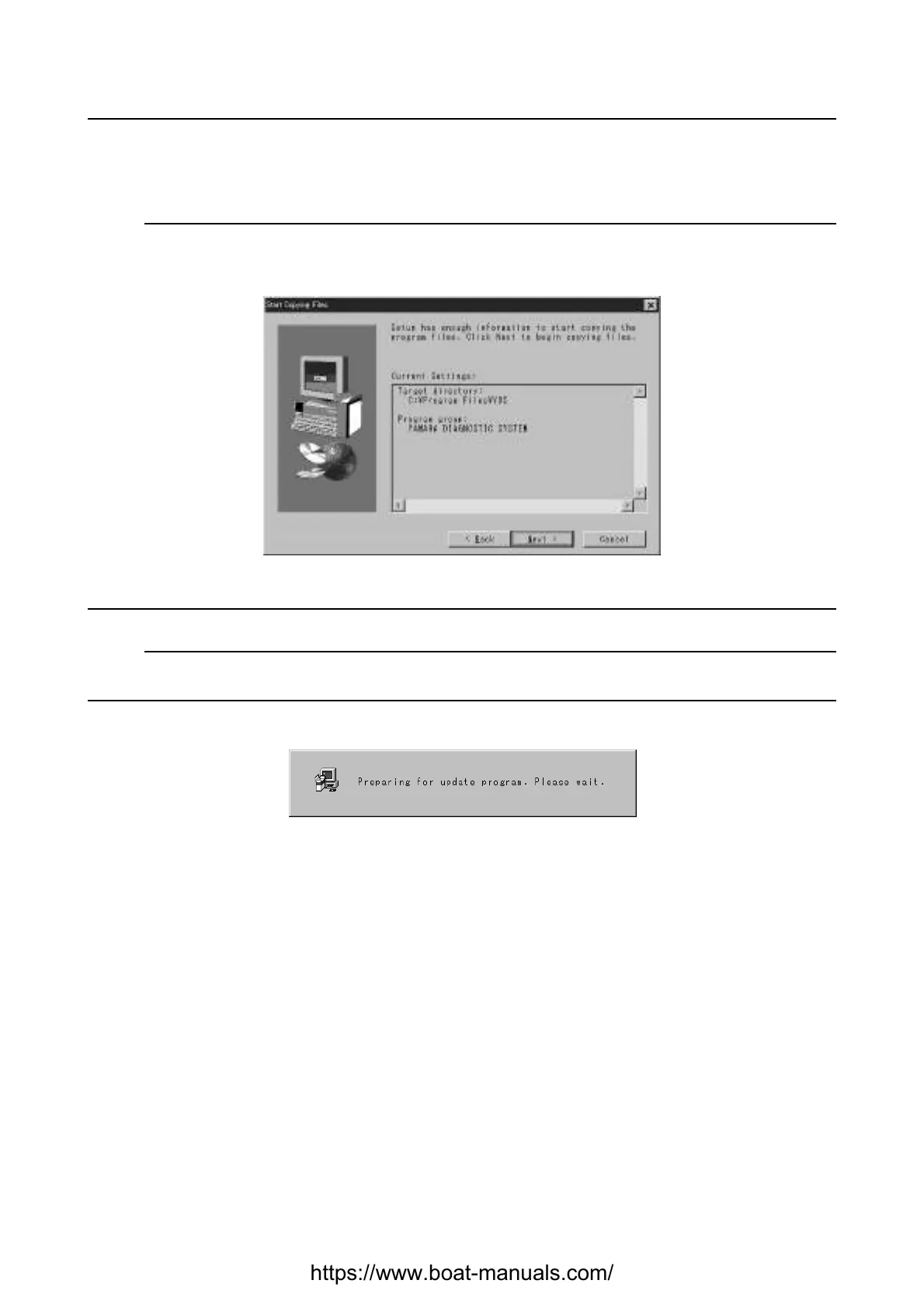
5. Check the target directory and the program name for the Yamaha Diagnostic System, which are
displayed in the dialog box.
Click the
Next
button to start copying the program files.
NOTE:
• To go back to the previous dialog box (step 4), click the
Back
button.
• To quit the installation, click the
Cancel
button.
Fig. 5
NOTE:
If the Yamaha Diagnostic System has already been installed onto your computer, the following mes-
sage (Fig. 6) appears.
Fig. 6
Yamaha Diagnostic System
https://www.boat-manuals.com/


 To Next Page