Yamaha Commercial Audio LS9 StageMix V1.0 User Guide
Page 18
Gain and Frequency can be adjusted by dragging the circle around the graph.
Q is adjusted by using the iPad’s “pinch” gesture: hold one finger (or thumb)
on the screen while moving another finger closer to or further away from the
first.
TIP___________________________________________________________
The most comfortable and accurate way of adjusting Q is to use a vertical
pinch movement with the thumb and forefinger.
______________________________________________________________
In some cases, it may be necessary to adjust the gain without altering the
frequency. Or to adjust the frequency without changing the gain. In this case,
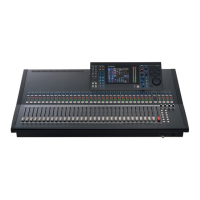
the “Gain Lock” or “Frequency Lock” functions can be used. These buttons
are located at the top of the EQ graph.
The “Lock” buttons affect all 4 bands (but not the HPF). When a band is
adjusted, the locked parameter value becomes red.
4.6.1 HPF
When the HPF is selected, an extra [HPF] button appears at the top of
the EQ graph. Press this button to switch the HPF on/off. When the
button is green, the HPF is On. HPF has no Gain or Q parameter: only
frequency.
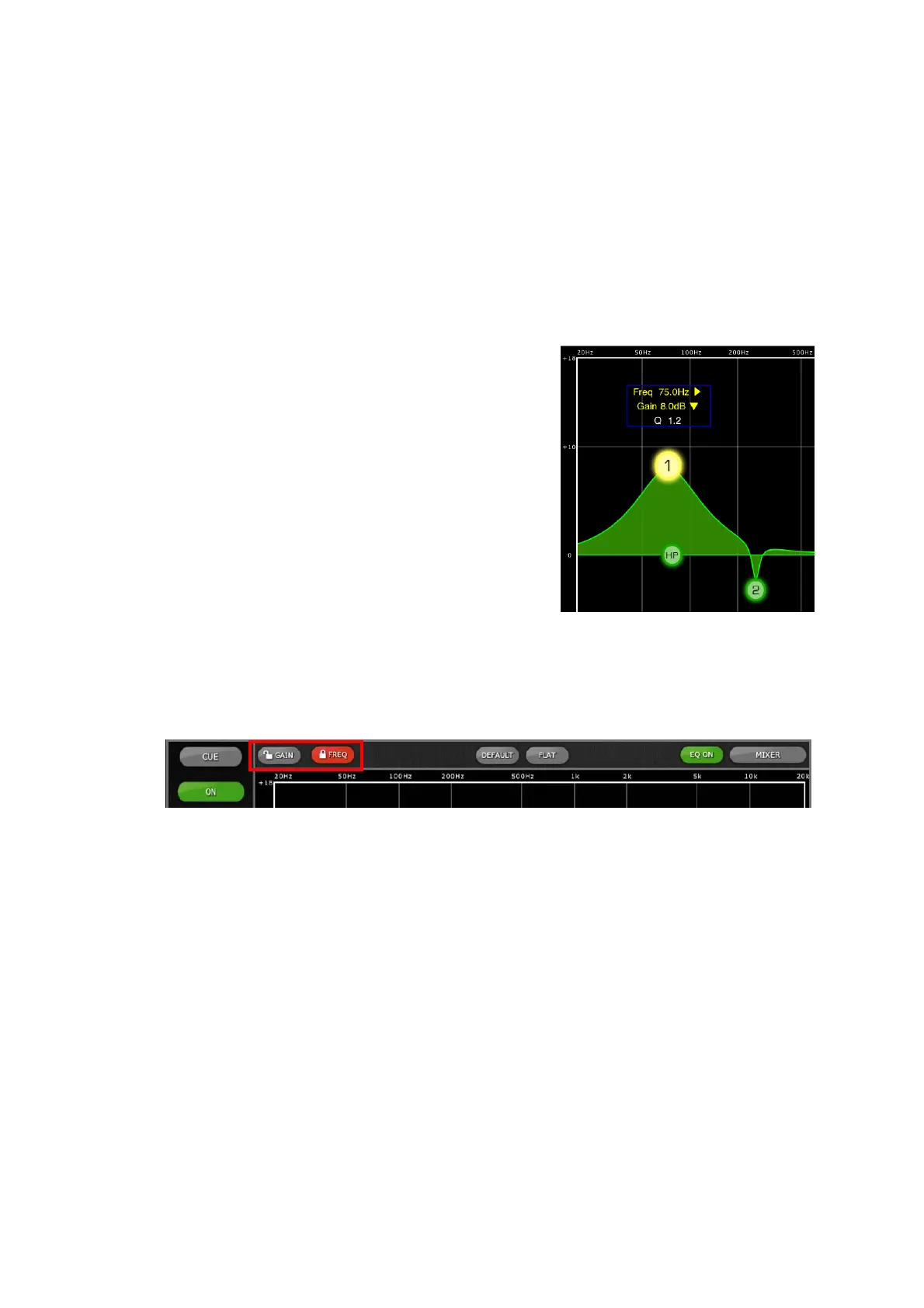
While an EQ band is being moved, the
parameter value will turn yellow to
indicate that it has changed. The little
yellow arrows show which direction the
band should be moved to return to its
previous position.




 To Next Page