Yamaha Commercial Audio LS9 StageMix V1.0 User Guide
Page 5
3.0 Getting Started
3.1 LS9 Network Setup
I. Connect the WiFi access point to the LS9’s network port via a CAT5 cable.
Note that a cross-over cable will be needed with older access points that don’t
have the “auto MDIX” function. Most recent devices will support “auto MDIX”,
in which case a straight CAT5 cable can be used.
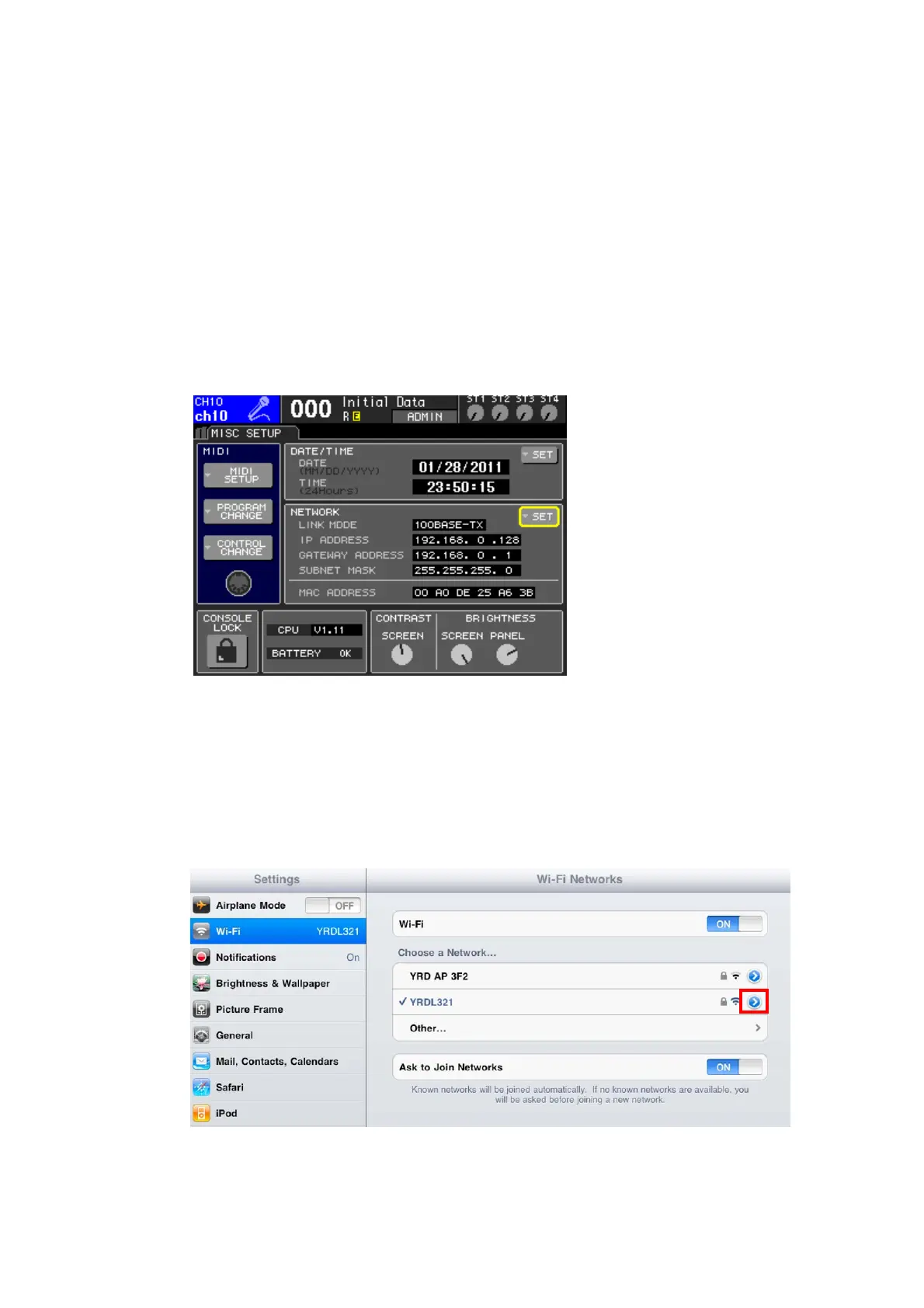
II. Note the IP address and MAC address of the LS9 - they will need to be
entered into the iPad later. They can be found in the console as follows:
Press the [SETUP] button on the LS9 to access the MISC SETUP screen
3.2 iPad WiFi Settings
The iPad needs to be given a static IP address in the same range as the LS9’s
IP Address.
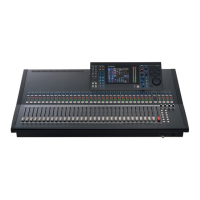
a. Open the iPad “Settings” menu
b. Select “Wi-Fi”, and choose the correct network
c. Press the blue circle with the white arrow to the right of the selected
network to edit the IP address.



 To Next Page