Yamaha Commercial Audio LS9 StageMix V1.0 User Guide
Page 8
iv. Enter the LS9 MAC address noted in 3.1. When entering the MAC
Address, the colons between sets of characters will be automatically
added by StageMix.
v. Select the Model of LS9 console from the choices of LS9-32 or LS9-16.
vi. Press the [ADD MIXER] button at the bottom of the screen
3.3.3 Select a Mixer and Begin Working
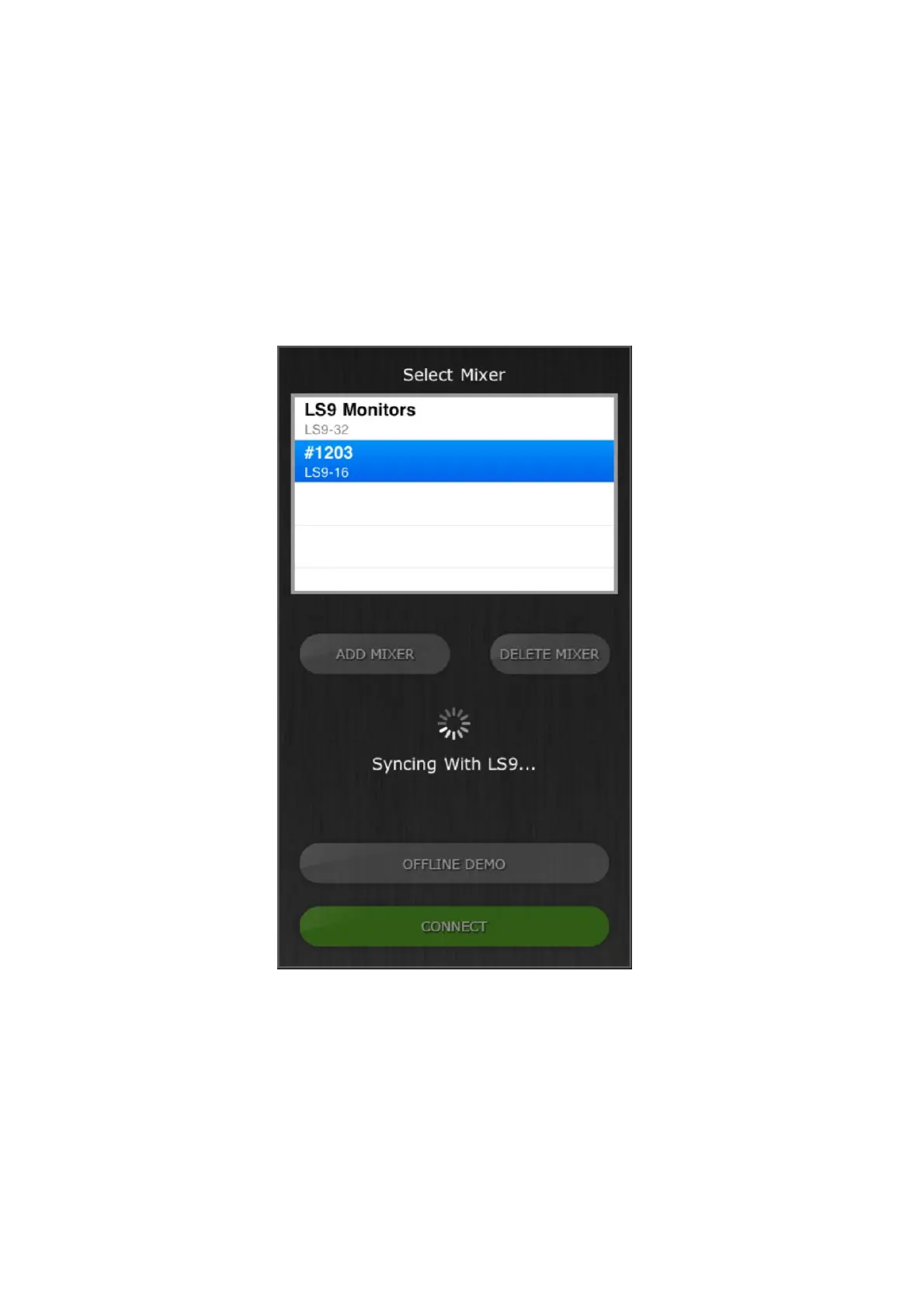
If your iPad has been configured to work with an LS9 console, select the mixer
from the list and press [CONNECT]. (The model of mixer (LS9-32 or LS9-16)
will appear in smaller text below the mixer’s name.)
The message “Syncing With LS9…” will appear while StageMix is obtaining
parameters from the console. This process will normally take about 10 seconds.
After this process is complete, the Mixer window will appear and StageMix is
ready to be used.
If StageMix cannot connect with your LS9, refer to the Troubleshooting section
(5.0) at the end of this document for possible solutions.




 To Next Page