Yamaha Commercial Audio LS9 StageMix V1.0 User Guide
Page 22
5.0 Troubleshooting
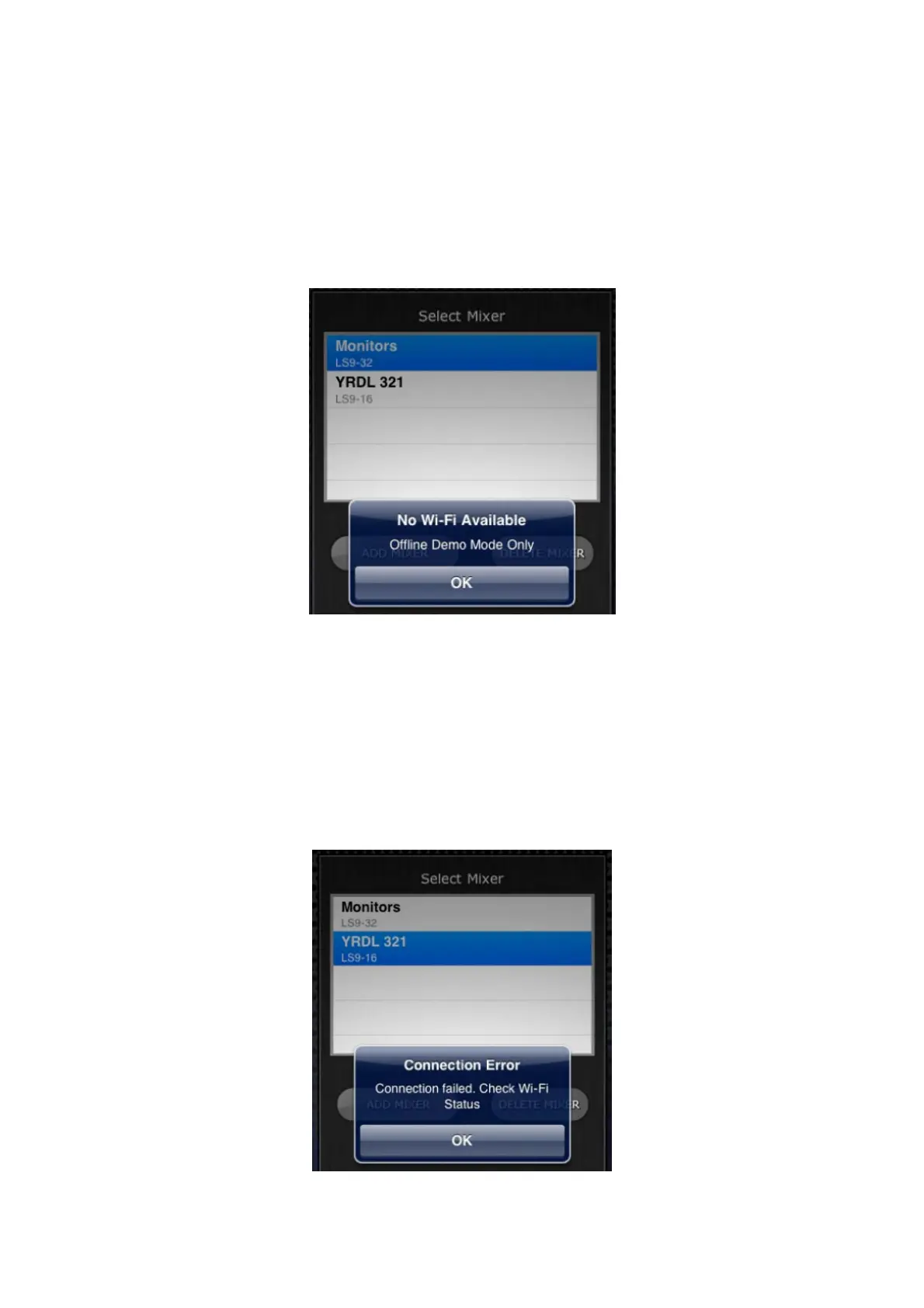
5.1 No Wi-Fi Available
If this message appears after launching StageMix, this indicates that the iPad
is not connected to a WiFi access point or that WiFi may be switched off in the
iPad. Refer to sections 2.0 and 3.2 for details about WiFi hardware
configuration and iPad WiFi settings.
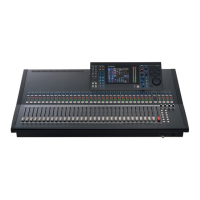
5.2 Connection Error
If this message appears after selecting a mixer and pressing [CONNECT],
this indicates that StageMix cannot connect to the LS9 console. This may be
due to incorrect IP Address or MAC Address settings in either the LS9 or
StageMix. Verify that the settings in the LS9 match the settings in StageMix.
Refer to 3.1 and 3.3.2 for details about these settings. This problem will also
occur if the LS9 console is not turned on or if StageMix is quit and immediately
re-launched (wait at least 30 seconds before re-launching StageMix).




 To Next Page