Yamaha Commercial Audio LS9 StageMix V1.0 User Guide
Page 6
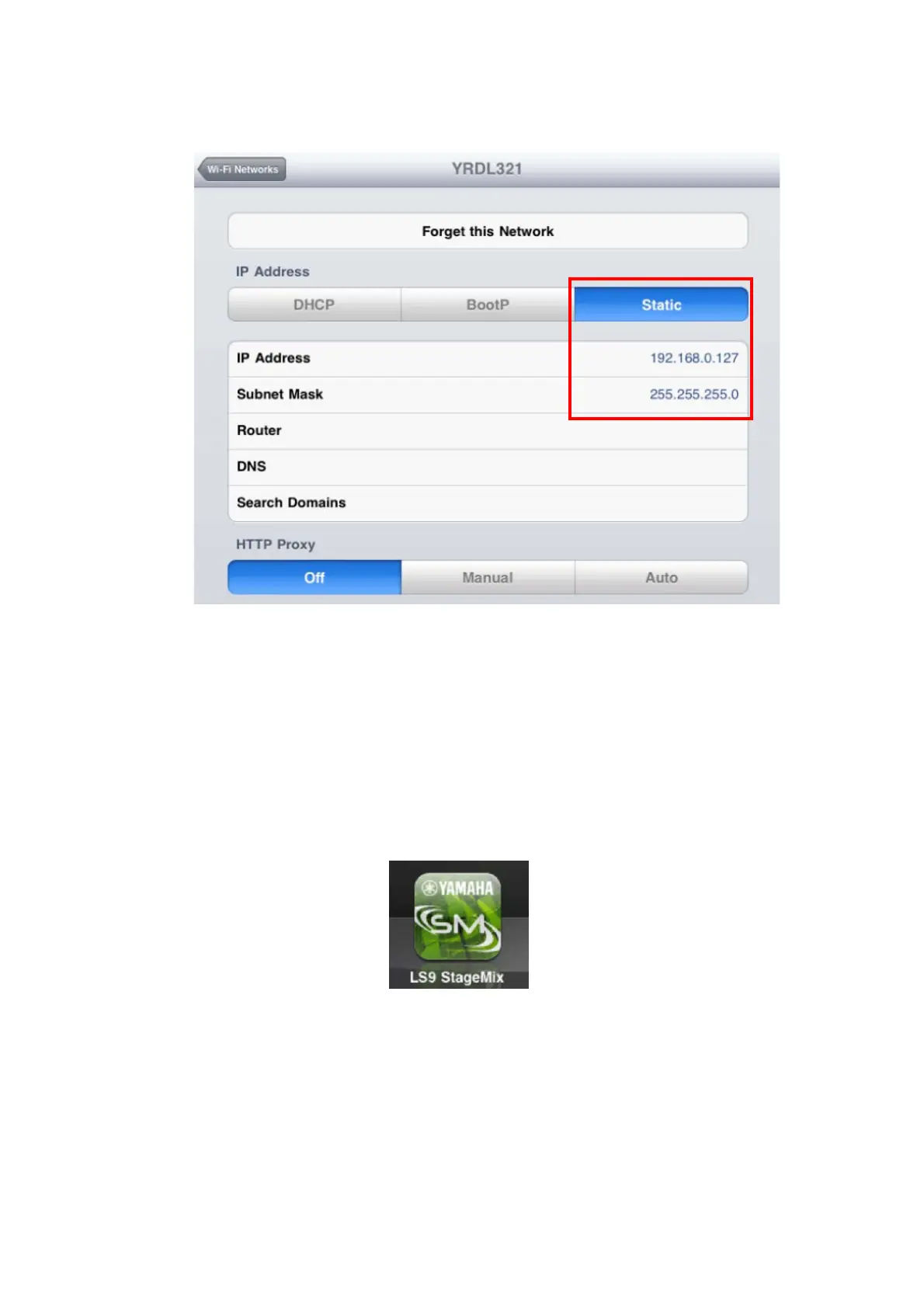
d. Select [Static].
e. Write an IP Address similar to the one for the LS9, but with just the last
number different. (For example, if LS9 is 192.168.0.128, give an
address to the iPad such as 192.168.0.127).
f. Enter “255.255.255.0” for the Subnet Mask.
g. Press the iPad’s Home button to exit the Settings menu.
3.3 StageMix Setup
Launch the “LS9 StageMix” App
The “Select Mixer” screen will appear. From this screen, you can do any of
the following things:
• Access the OFFLINE DEMO mode to explore the features and user
interface of LS9 StageMix.
• Configure StageMix to work with an LS9 console.
• Select an LS9 console that has already been configured to work with your
iPad and begin using StageMix.




 To Next Page