Setting Aux Out 1–8 from the Display 111
01V96—Owner’s Manual
Aux Outs
9
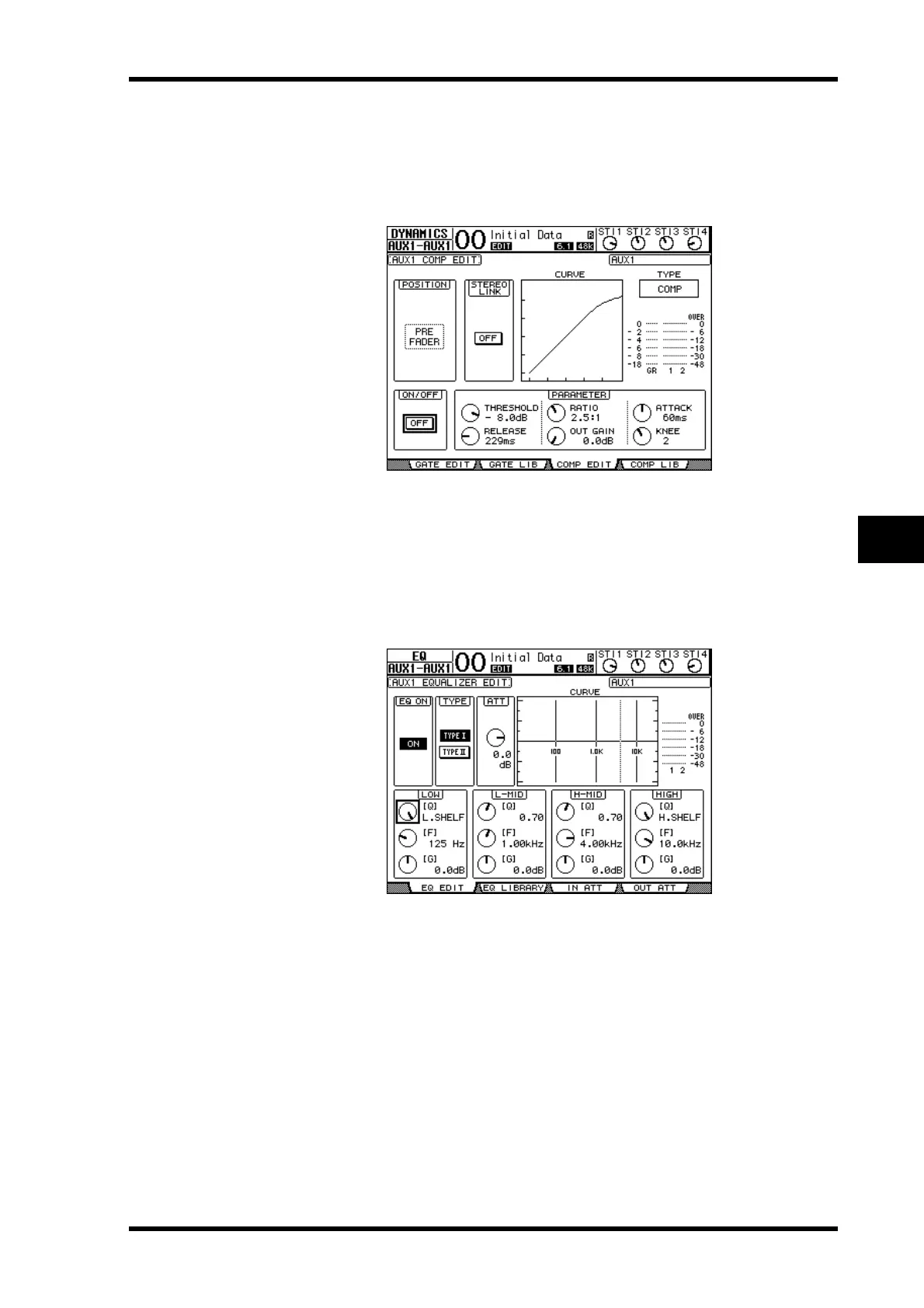
Comp settings
To set the Aux Out 1–8 compressors, press the DISPLAY ACCESS [DYNAMICS] button,
then press the [F3] button to display the Dynamics | Comp Edit page, then select the desired
Aux Out 1–8 by using the corresponding [SEL] buttons.
The parameters on this page (and the procedure for setting them) are the same as for Input
Channels (see page 82).
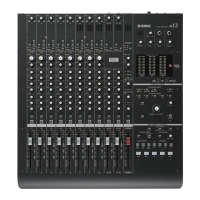
EQ settings
To set the EQ for Aux Out 1–8, press the DISPLAY ACCESS [EQ] button, then press the [F1]
button to display the EQ | EQ Edit page, then use the [SEL] buttons to select Aux Out 1–8.
The parameters on this page (and the procedure for setting them) are the same as for Input
Channels (see page 84).





 To Next Page