Rear Panel 25
01V96—Owner’s Manual
2
Control Surface & Rear Panel
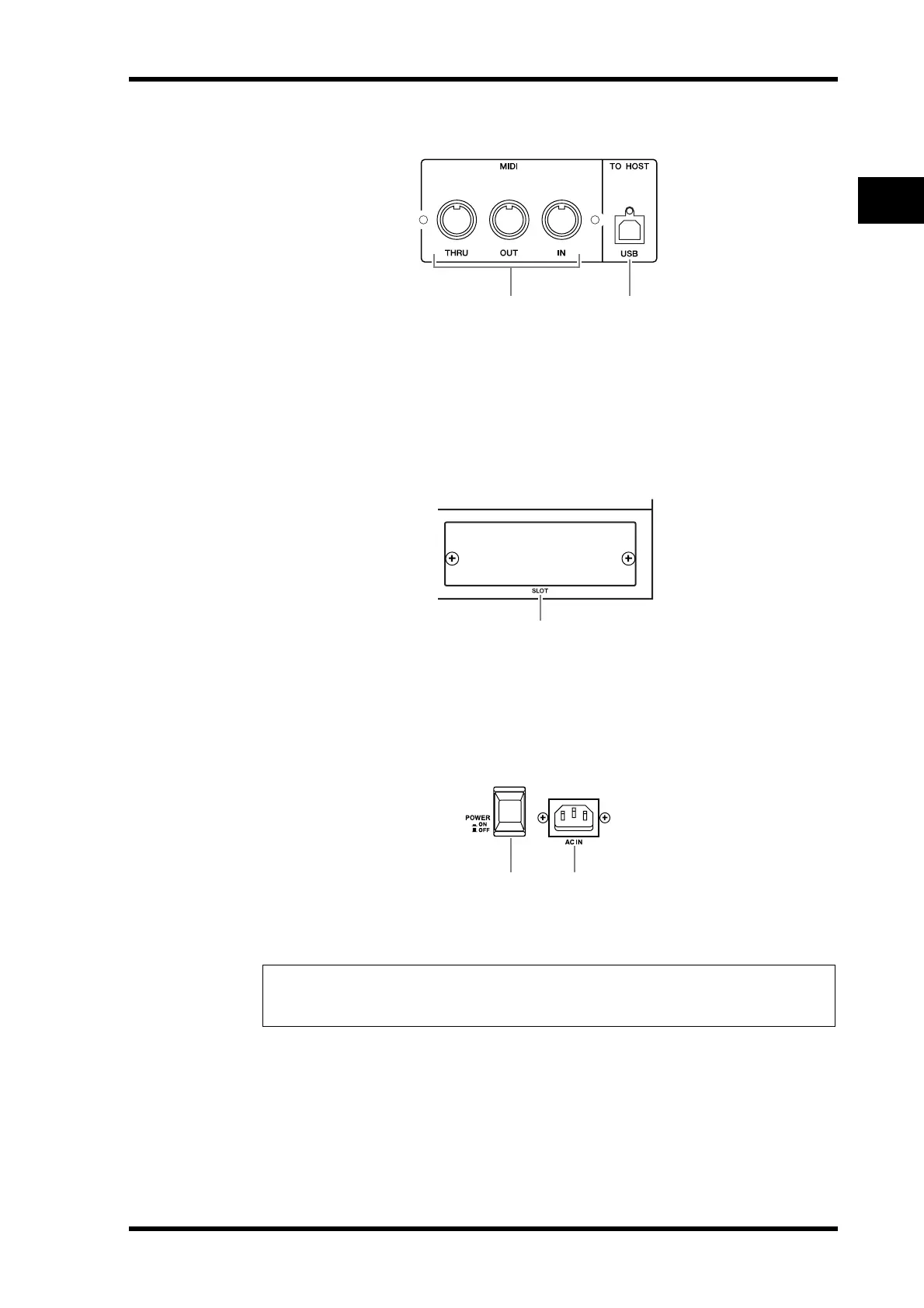
MIDI/Control Section
A MIDI IN/THRU/OUT ports
These standard MIDI IN, OUT and THRU ports enable you to connect the 01V96 to other
MIDI equipment.
B TO HOST USB port
This USB port enables you to connect a computer equipped with a USB port.
SLOT Section
A SLOT
You can insert optional mini-YGDAI cards into this slot. (See page 26 for information on
installing these cards.)
Power Section
A POWER ON/OFF switch
This switch turns the power to the 01V96 on or off.
B AC IN connector
This connector enables you to connect the 01V96 to an AC outlet via the supplied power
cord.
Note: To prevent loud clicks and thumps in your speakers, turn on your audio equipment in
the following order (reverse this order when turning the equipment off)—sound sources, mul-
titrack and master recorders, 01V96, monitoring power amplifiers.
21
1
21





 To Next Page