66 Chapter 5—Tutorial
01V96—Owner’s Manual
Using the Internal Effects
The 01V96 features four internal multi-effects processors that can be used via Aux Sends
and Returns or by inserting them into specific channels. This section describes how to use
internal Effects processor 1 via Aux Send 1, and apply reverb to the track signals.
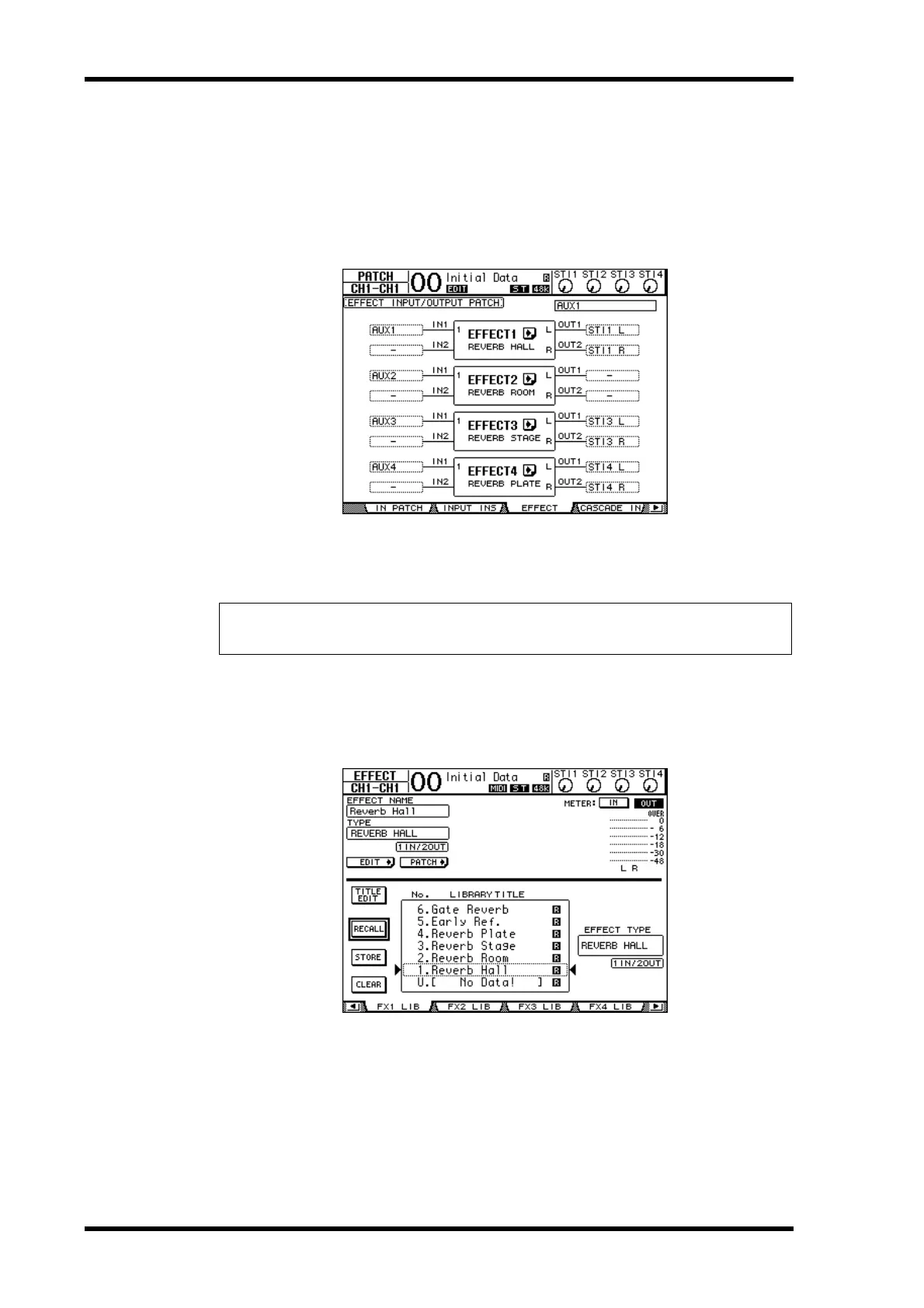
1 Press the DISPLAY ACCESS [PATCH] button repeatedly until the Patch | Effect
page appears.
This page enables you to patch the inputs and outputs of Effects processors 1–4. By default,
Aux Send 1 is patched to the input of Effects processor 1, and the output of Effects processor
1 is patched to ST IN Channel 1 L and R, as shown in the diagram above.
2 Make sure that the [ON] button for ST IN Channel 1 in the ST IN section is
turned on.
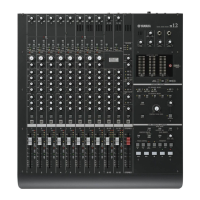
3 Press the DISPLAY ACCESS [EFFECT] button repeatedly until the Effect | FX1
Lib page appears.
The Effect | FX1 Lib page enables you to recall effect programs to be used by Effects proces-
sor 1 from the Effects library, and store the current effects settings of Effects processor 1 to
the Effects library.
Select from the list in the center column a program memory to which you wish to store the
effects settings, or a program memory that you wish to recall. The selected program appears
inside the dotted box.
Tip: If the patch for internal Effects processor 1 is different from the above, use the Parameter
wheel or [INC]/[DEC] buttons, and the [ENTER] button to change the patch.





 To Next Page