Surround Panning 145
01V96—Owner’s Manual
Surround Pan
12
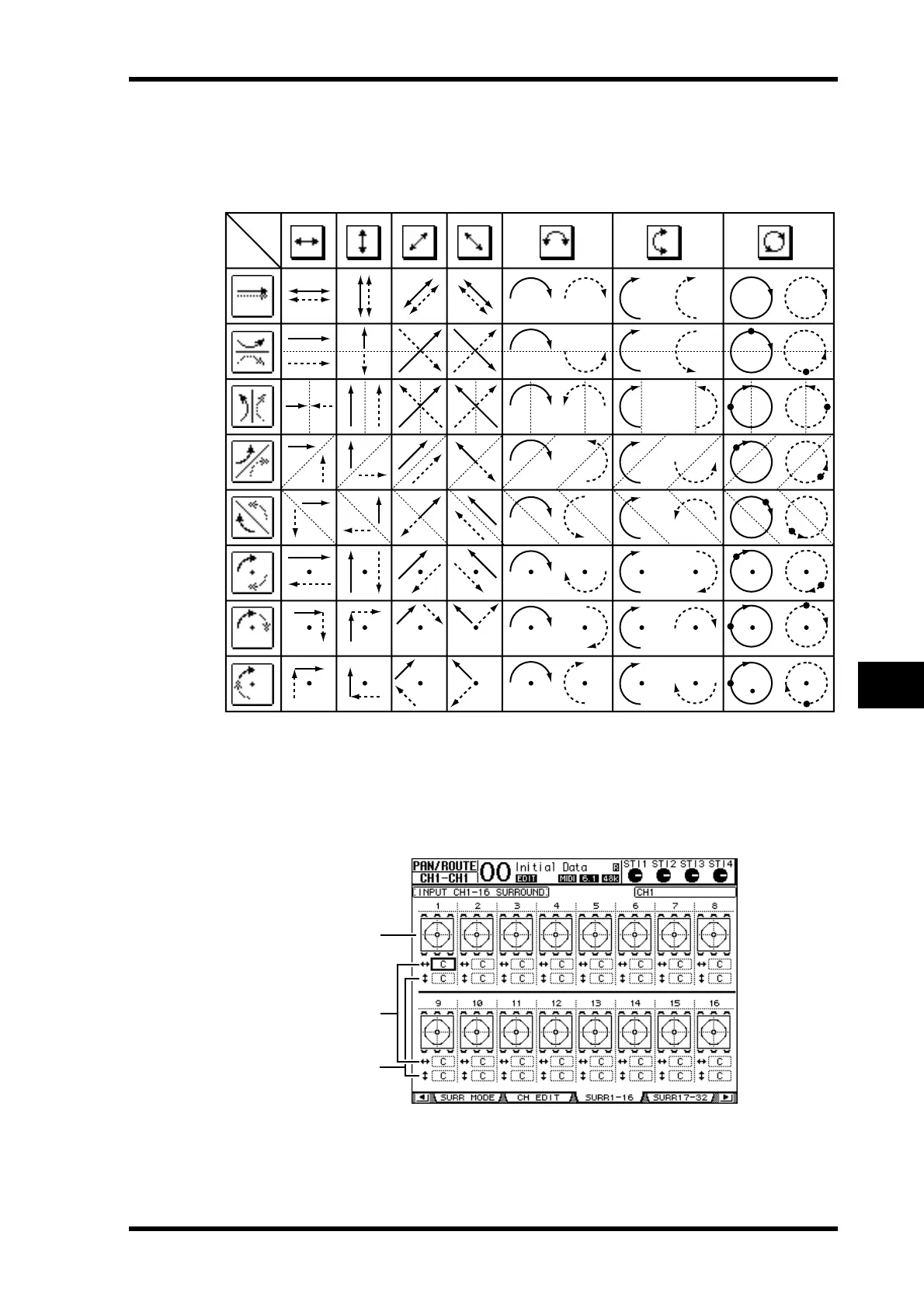
The following table shows how the sound images on two linked channels move when dif-
ferent trajectory patterns and stereo link patterns are combined. A solid line indicates the
movement of the selected channel, and a dotted line indicates the movement of the
linked partner.
7To list multiple-channel surround pan settings, press the [PAN/ROUTING]
button repeatedly until the Pan/Route | Surr1-16, Surr17-32, or Surr ST IN
page appears.
These pages display and enable you to edit the surround pan settings for 16 channels.
A Surround pan graphs
These graphs display the trajectory patterns and the current pan positions for the Input
Channels.
Trajectory
Pattern
1
3
2







 To Next Page