Fading Scenes 167
01V96—Owner’s Manual
Scene Memories
15
Fading Output Channels
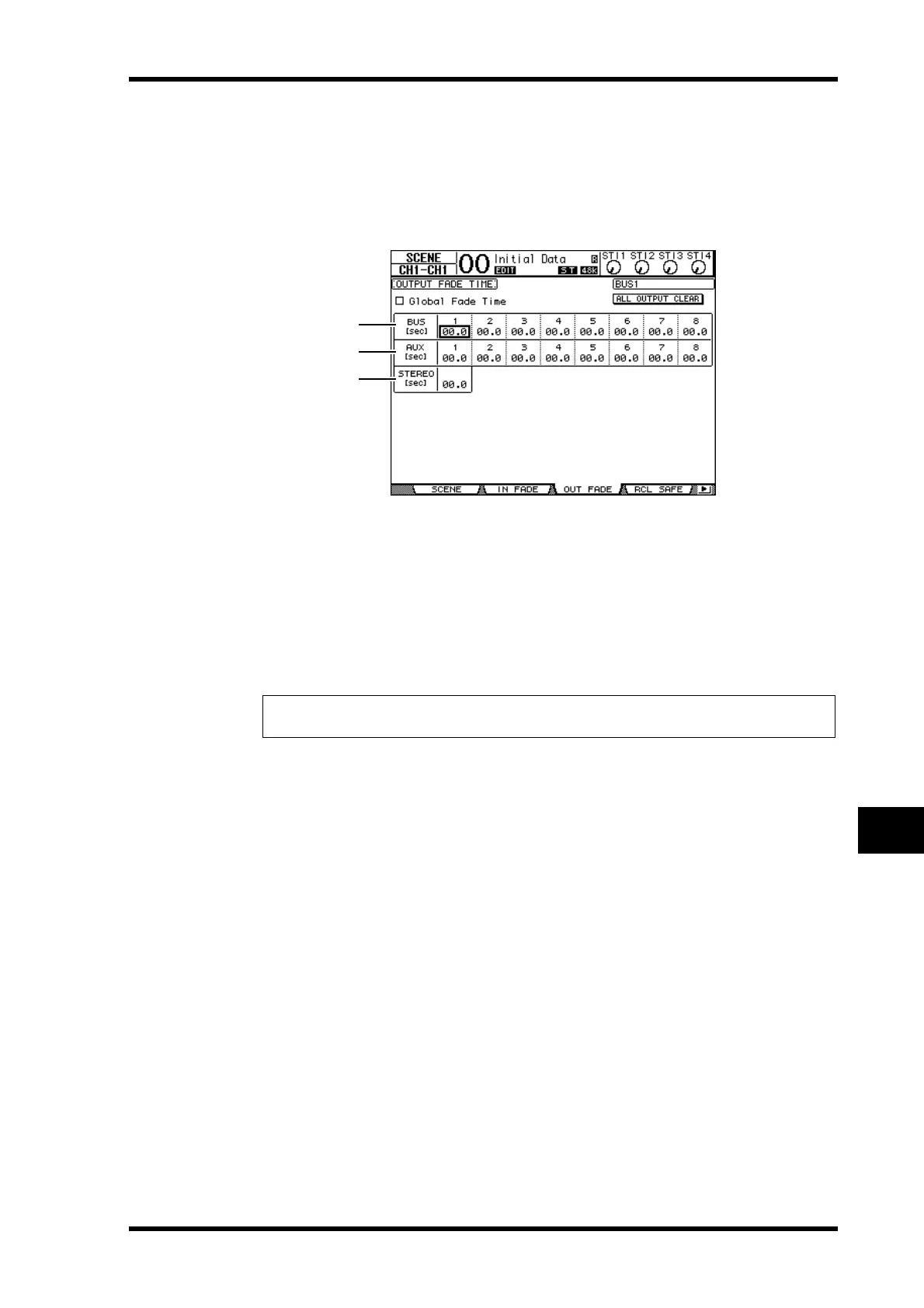
To set the Fade Time for the Output Channels (Stereo Out, Bus Outs 1–8, Aux Outs 1–8),
press the DISPLAY ACCESS [SCENE] button repeatedly until the Scene | Out Fade page
appears.
The basic operation is the same as on the In Fade page.
A BUS1–8
These parameters enable you to set the Fade Time for each Bus Out (1–8) in the range
of 00.0 through 30.0 seconds.
B AUX1–8
These parameters enable you to set the Fade Time for Aux Outs 1–8.
C STEREO
This parameter enables you to set the Fade Time for the Stereo Out.
Tip: You can copy the currently-selected Output Channel Fade Time setting to all Output
Channels by double-clicking the [ENTER] button.
3
2
1





 To Next Page