204 Chapter 17—Remote Control
01V96—Owner’s Manual
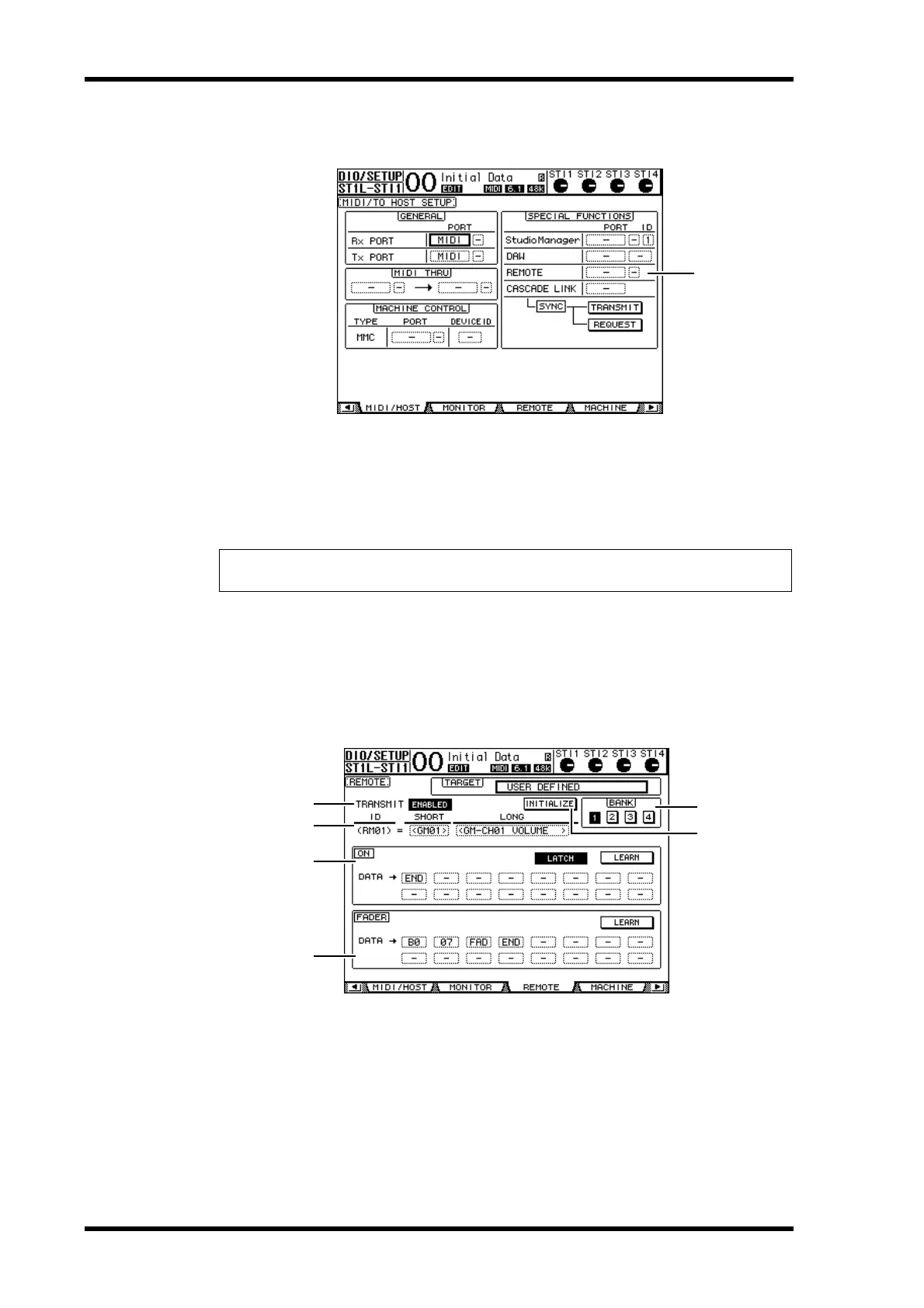
2 Press the DISPLAY ACCESS [DIO/SETUP] button repeatedly until the
DIO/Setup | MIDI/Host page appears.
3 Move the cursor to the REMOTE parameter box (
1) in the SPECIAL FUNC-
TIONS section, rotate the Parameter wheel to select MIDI, then press
[ENTER].
If the MIDI port is already in use, a window confirming the assignment change appears.
Move the cursor to the YES button, then press [ENTER].
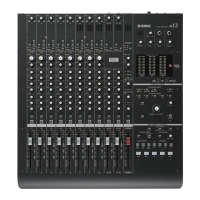
4 Press the DISPLAY ACCESS [DIO/SETUP] button repeatedly until the
DIO/Setup | Remote page appears.
5 Move the cursor to the TARGET parameter box, rotate the Parameter wheel
to select USER DEFINED, then press [ENTER].
The confirmation window for changing the setting appears. Move the cursor to the YES
button, then press [ENTER]. The display changes as follows:
A TRANSMIT ENABLE/DISABLE
This button switches the MIDI Remote function between enable and disable.
B INITIALIZE
This button resets the settings stored in the bank selected by the BANK parameter their
default settings.
C BANK
This parameter enables you to select one of four banks.
Tip: If the REMOTE parameter box is grayed out, proceed to Steps 4 and 5 to set the TARGET
parameter, then return to Steps 2 and 3.
1
2
3
5
6
1
4





 To Next Page