Pairing Input Channels 93
01V96—Owner’s Manual
Input Channels
7
2 Move the cursor to the desired button in the Channel Pairing window, then
press [ENTER].
The following buttons are available in this window:
• CANCEL
Cancels the operation.
• CH x ➔ y
Copies the odd channel parameter values to the even channel.
• CH y ➔ x
Copies the even channel parameter values to the odd channel.
• RESET BOTH
Resets both channel parameters to the default settings (same as when Channel memory #01
is recalled).
Move the cursor to the desired button, then press [ENTER] to confirm the pair.
■ Pairing Input Channels Using the Display
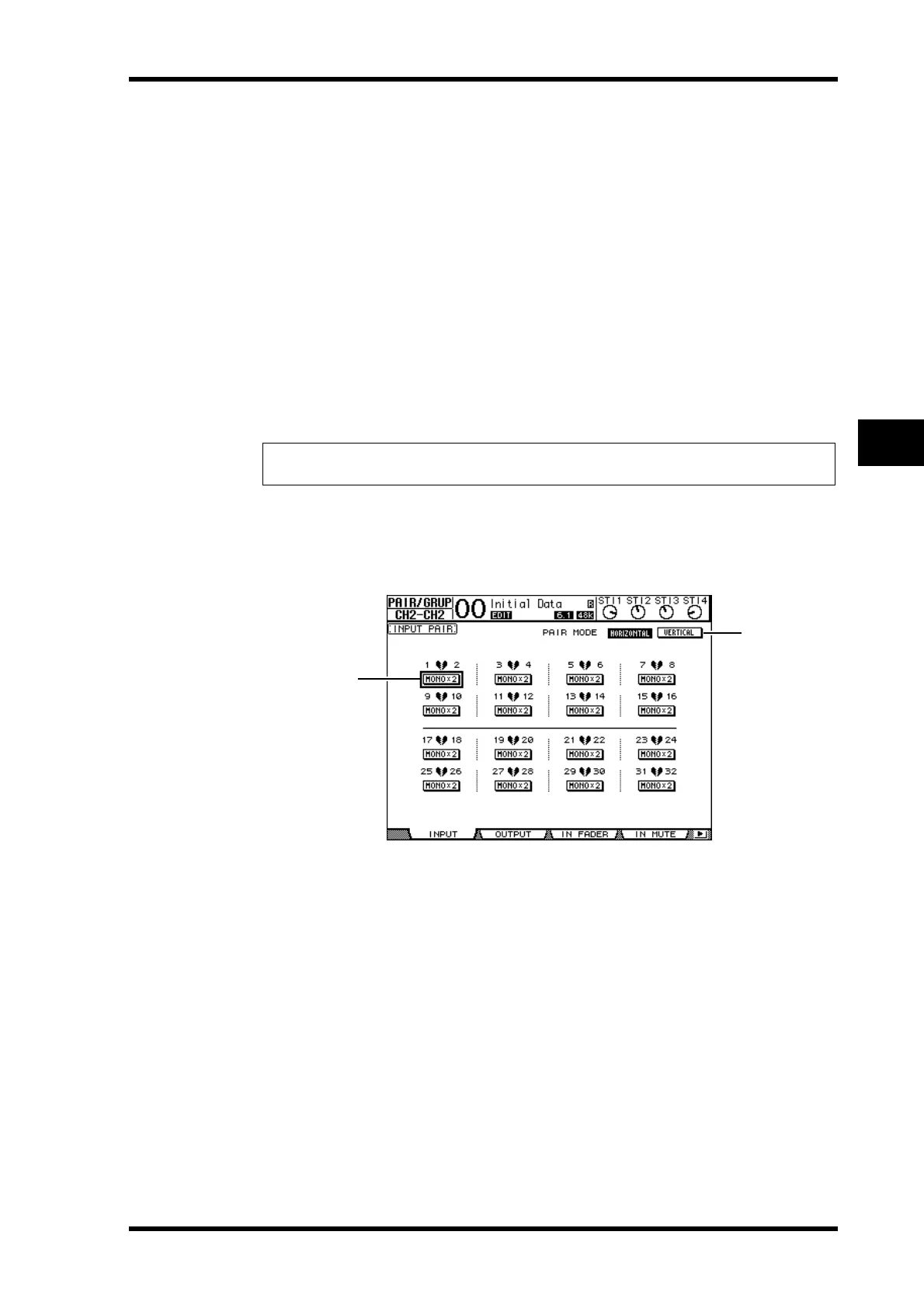
1 Press the [PAIR/GROUP] button repeatedly until the Pair/Grup | Input page
appears.
The parameters on this page are described below:
A PAIR MODE
Determines how channels are paired.
B STEREO/MONO x2 buttons
These buttons turn pairs on or off.
2 Move the cursor to the PAIR MODE parameter field (
1), then select the
HORIZONTAL or VERTICAL button.
The function of each mode is described below:
• HORIZONTAL.............This button pairs adjacent odd-even channels (default).
• VERTICAL ....................This button pairs counterpart channels on Layer 1 and Layer 2
that share the same physical fader (e.g., CH1 & CH17, CH16 &
CH32, etc.). This mode is useful when you wish to use one
fader to control both stereo channels.
Tip: Pressing and holding down the first [SEL] button of the paired channels and pressing
the second [SEL] button cancels the pair.
1
2













 To Next Page