Instrument and control functions
4-8
4
EAU87860
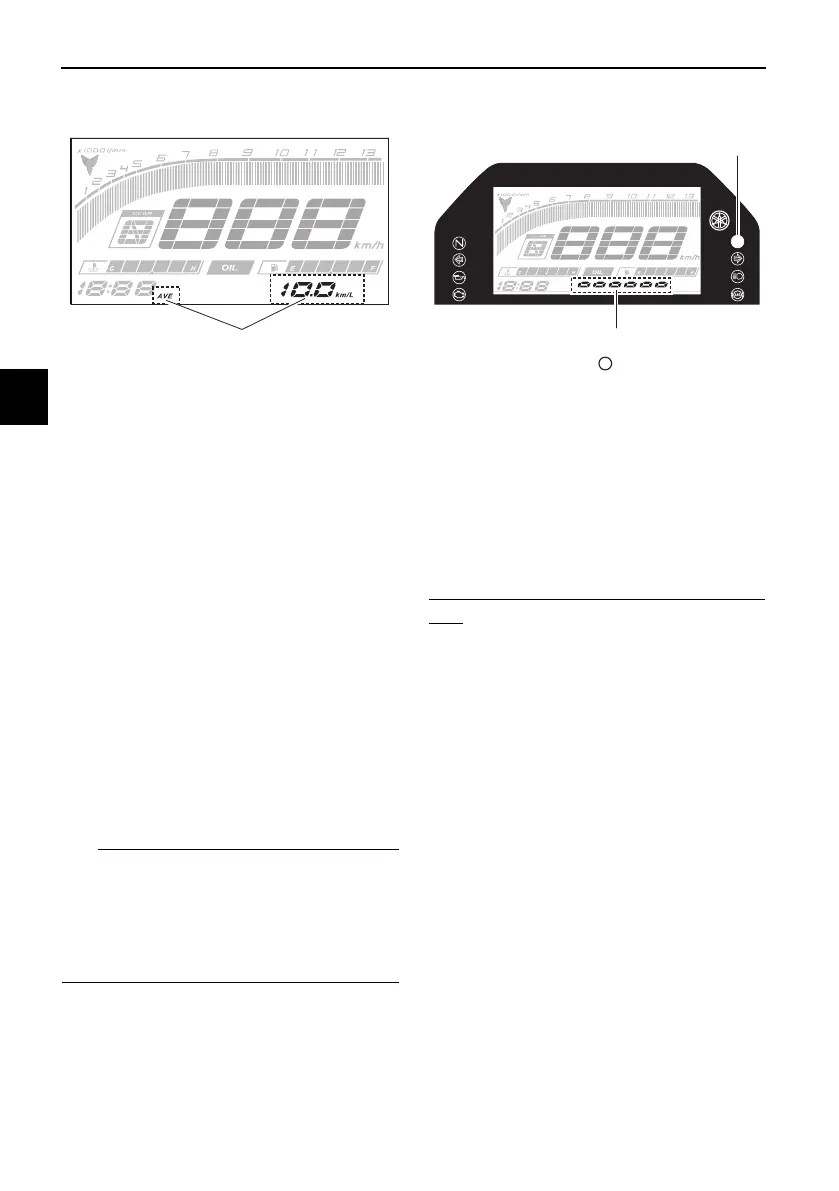
Average fuel consumption display
This display shows the average fuel
consumption since it was last reset.
The average fuel consumption display
can be set to either “AVE_ _._ km/L” or
“AVE_ _._ L/100 km”, or “AVE_ _._
MPG” when using miles. To switch the
fuel consumption measurement units,
push the “SELECT” button until the
measurement units change.
z “AVE_ _._ km/L”: the average dis-
tance that can be traveled on 1.0 L
of fuel.
z “AVE_ _._ L/100 km”: the average
amount of fuel necessary to travel
100 km.
z “AVE_ _._ MPG”: the average dis-
tance that can be traveled on 1.0
Imp.gal of fuel.
z To reset the display, push the
“RESET” button until it resets.
z After resetting, “_ _._” is shown
until the vehicle has traveled some
distance.
EAU87960
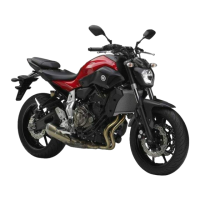
Shift indicator light control mode
This mode cycles through 4 control
functions in the order listed below.
z Shift indicator light on / flash / off
z Shift indicator light on r/min
z Shift indicator light off r/min
z Shift indicator light brightness
To set the shift indicator light on / flash
/ off
1. Turn the vehicle off.
2. Push and hold the “SELECT” but-
ton.
3. Turn the vehicle on, and then re-
lease the “SELECT” button after 5
seconds.
4. Push the “RESET” button to select
one of the following flashing pat-
tern settings:
z On setting: the shift indicator
light will come on when the
set engine speed is reached.
This setting is selected when
the shift indicator light stays
on.
z Flash setting: the shift indica-
tor light will flash when the set
engine speed is reached. This
1. Average fuel consumption display
1. Shift indicator light “ ”
2. Brightness level display
UB5W10E0.book Page 8 Friday, March 27, 2020 12:34 PM




 To Next Page